






Find the Best Outdoor Wireless Security Camera Systems with DVR 24/7 Live View and Recording
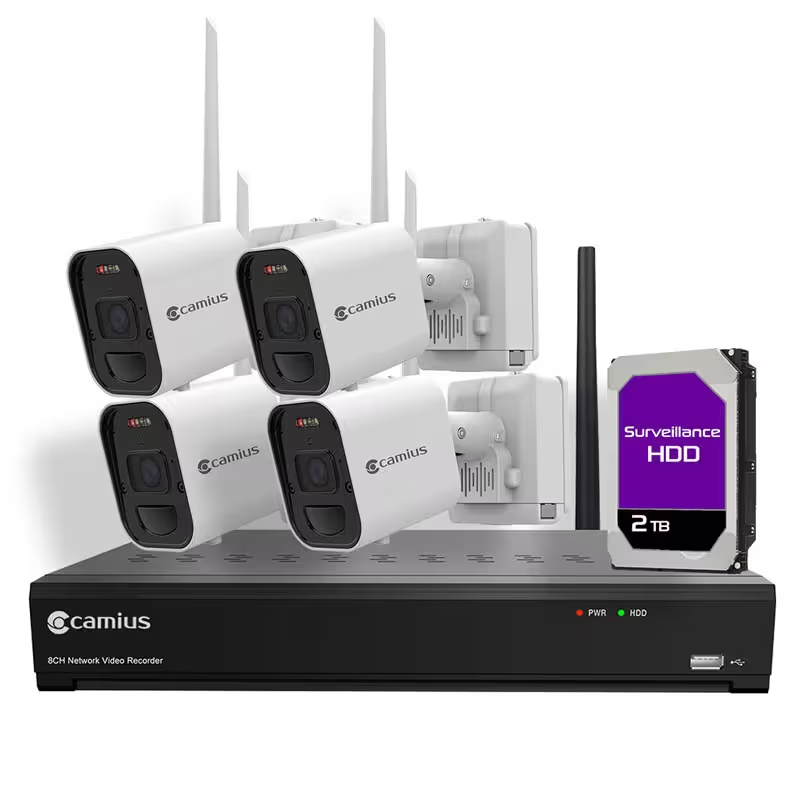
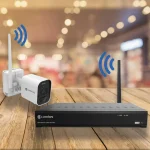
Secure your home or business effortlessly with the Camius 8 Channel 4K Wireless Security Cameras with DVR, 24/7 viewing and recording. This security camera system features ultra-HD 8 megapixel video resolution, wireless installation, and advanced deterrence features for the perfect blend of convenience, performance, and affordability. The wireless security camera system includes pre-installed 2 or 3 terabytes surveillance storage for seamless 24/7 recording without any subscription fees.
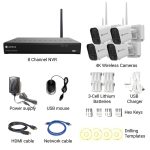
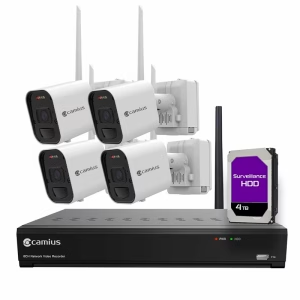
What's included:

Expand 8 channel wireless security camera system to 8 cameras with a press of a button

Step 1
Turn the wireless NVR recorder on

Step 2
Place the camera and insert the battery

Step 3
Install the app, scan and add your system
Why Choose Camius Wireless Camera System with DVR
Crystal-Clear Ultra-HD 4K Video & Audio
- 4K Video Resolution: Enjoy high-quality video for detailed monitoring.
- Audio Recording: Built-in microphones capture audio along with video.
- Wide-Angle Wireless Cameras: 2.8mm lens provides a 111 degrees field of view.
- Night Vision: Infrared technology ensures visibility up to 49 ft in total darkness (coloring low light)
Effortless Wireless Installation with Long Distance Wireless Signal (up to 2200 feet)
- Wire-Free Setup: Skip the hassle of wiring or drilling.
- Independent Wi-Fi Connection: Cameras connect directly to the Wireless DVR, avoiding router interference with long-distance wireless signal.
- Plug-and-Play Design: Installation is quick and straightforward, even for beginners.
- Up to 2200ft wireless range in open air with no obstacles, clear line of sight

Pre-installed storage for Peace of Mind
- Ready Local Storage: Start recording out of the box to a pre-installed local hard disk!
- Expandable HDD Capacity: Upgrade storage up to 6TB as your needs grow.
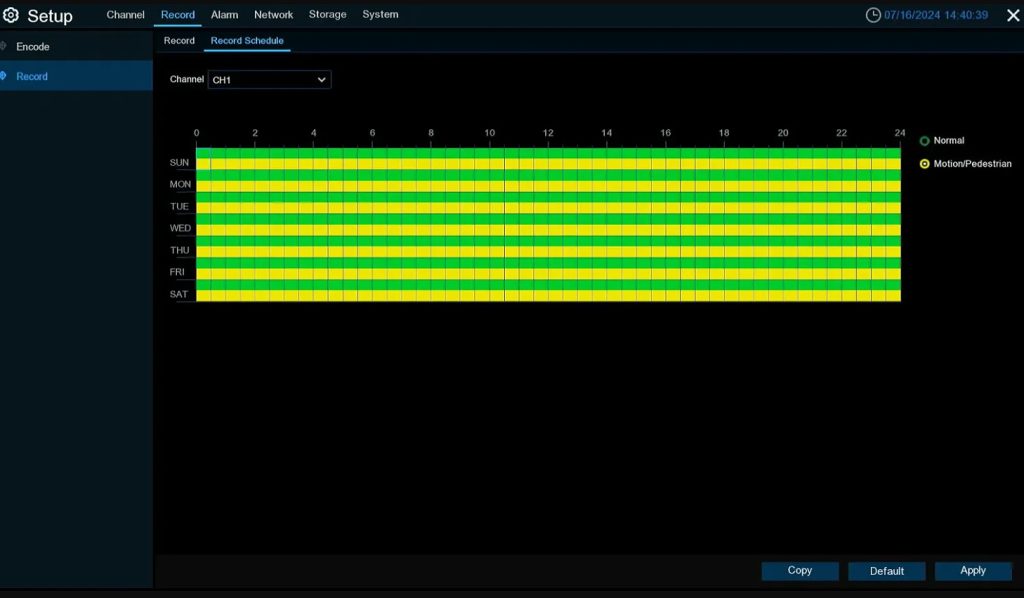
- Flexible Recording: Record continuously or enable motion-triggered recording!!!
4K Wireless Security Camera System with DVR and Local Recording
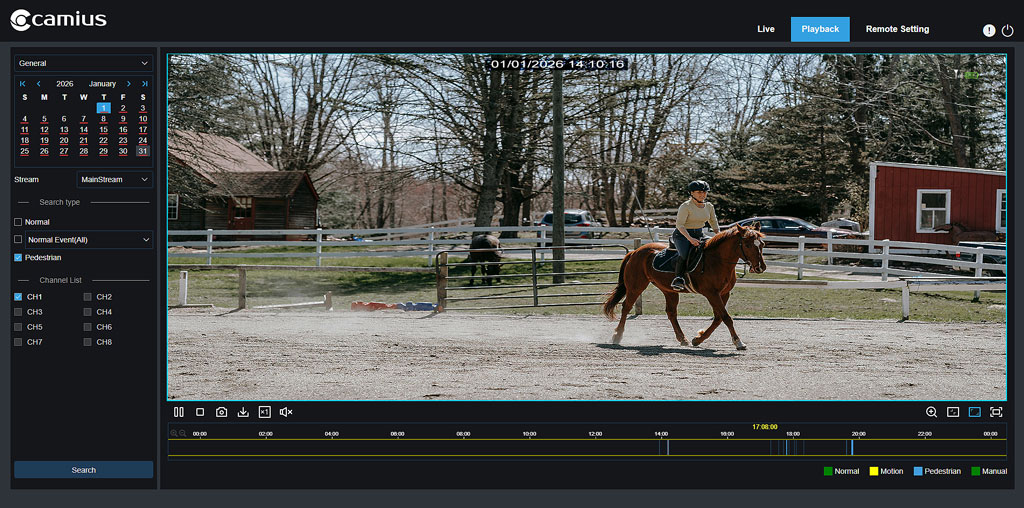
This wireless DVR system records video locally for weeks or months without relying on your router’s WiFi or an internet connection. All footage is stored on the DVR hard drive and remains accessible at all times. You can review recordings directly on an HDMI monitor connected to the recorder, through a web browser on the same local network, or from the mobile app when remote access is enabled. Searching footage by date, time, or event remains fast and straightforward across all viewing methods.
Active Deterrence Features
- Motion-Activated Lights: Bright LED lights ward off potential intruders.
- Loud Siren: Alerts trespassers and attracts attention.
- Two-Way Audio: Communicate with visitors or issue warnings remotely.
- Custom Schedules: Program deterrence features via the Camius View app.
Frequently Asked Questions About Battery Operated Cameras Deterrence Features
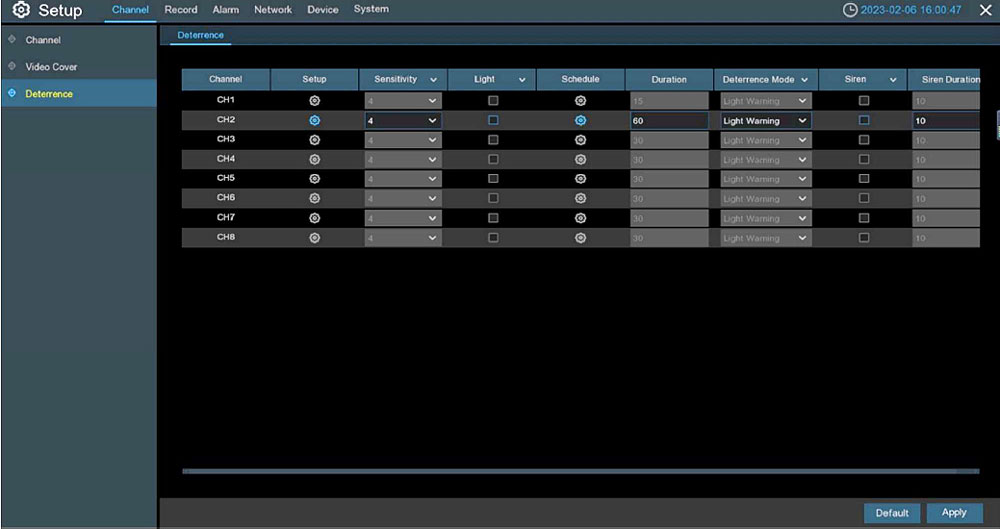
Q: How do I turn off the light and siren on my cameras?
A: Go to your NVR menu, select Channel → Deterrence, and uncheck the boxes for Light and Siren. This disables both features completely, while keeping audio and video recording active.
Rugged and Reliable Design
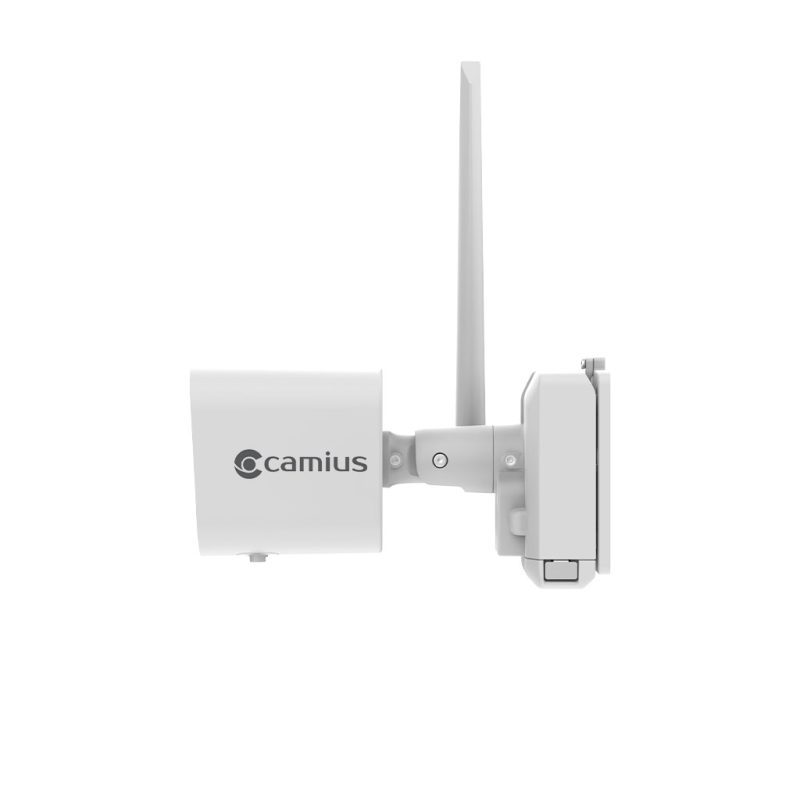
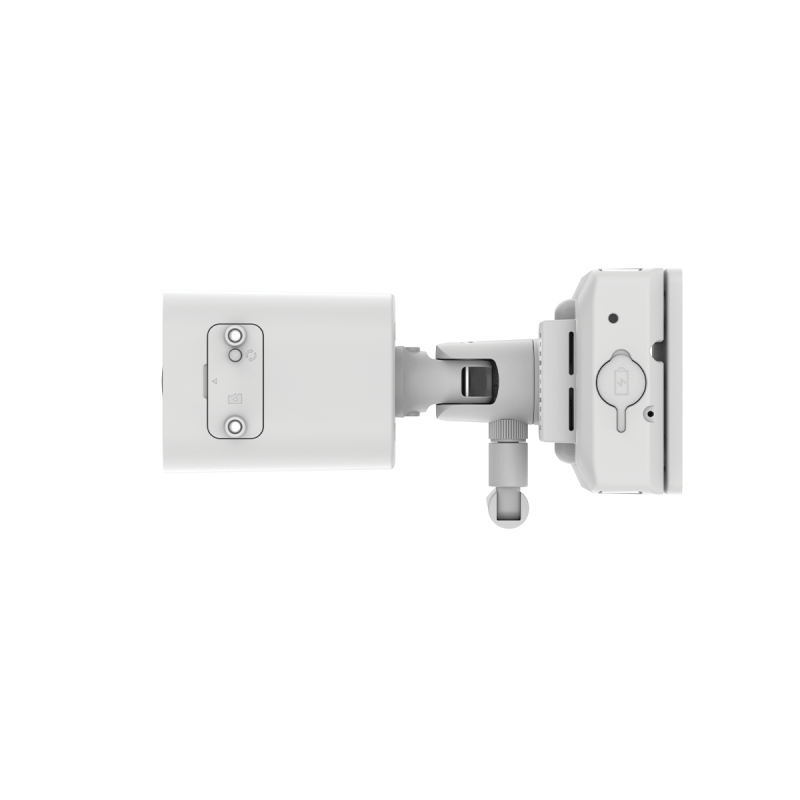
- Weatherproof Cameras: Rated IP66 for reliable performance in rain, snow, or heat.
- Extreme Temperature Tolerance: Operates between -4°F and 122°F.
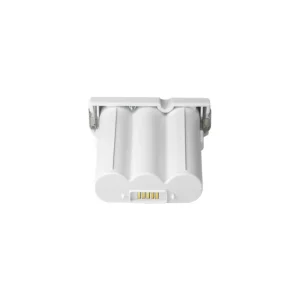
- Rechargeable Batteries: Long-lasting lithium-ion batteries for hassle-free operation.
Wireless Security Cameras with No monthly fee
No Hidden Costs
- No Subscription Fees: Save money with local storage.
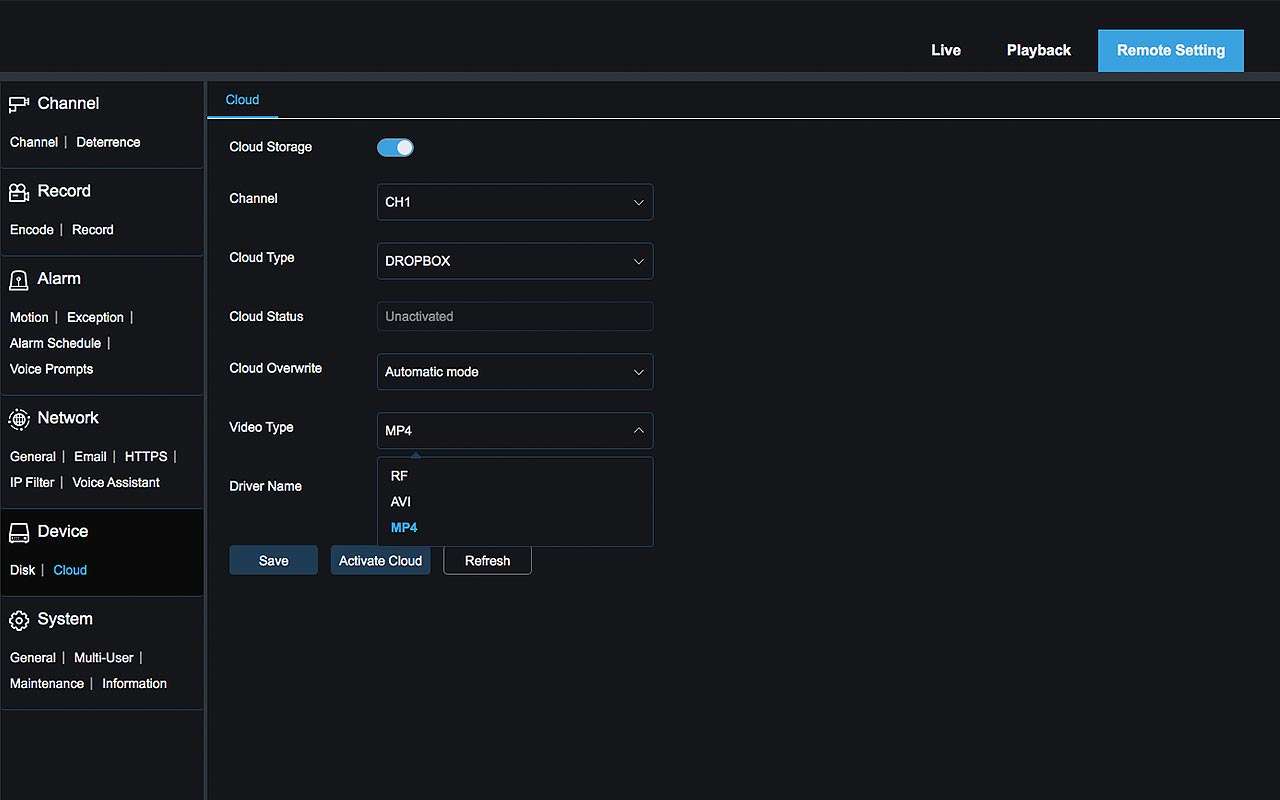
- Optional Cloud Backup: Integrate with your Dropbox or Google Drive for added redundancy

Wireless Security Cameras for Outdoor and Indoor Use
Monitor Your Property Anytime, Anywhere
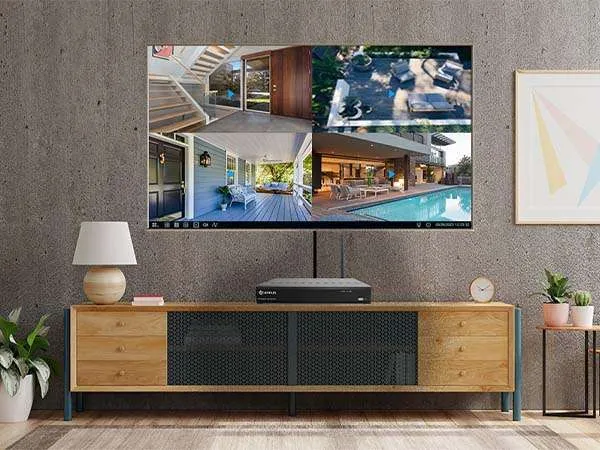
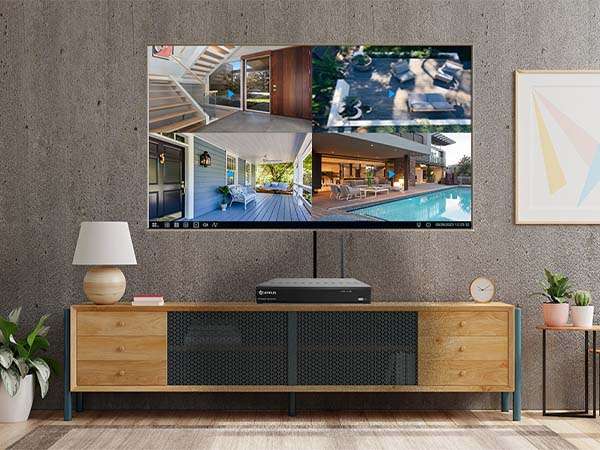
- 4K HDMI Output: Watch live or playback footage on your TV.
- Mobile App Access: Use the free Camius View app on iOS and Android devices.
- Web and Desktop Viewing: Monitor your system from any browser or desktop software.
Smart Notifications and Alerts
- Real-Time Notifications: Receive instant alerts for motion or sound detection.
- Advanced AI Detection: Minimize false alarms with smart person/ pedestrian detection.

Technical Specifications of the Wireless Security Cameras with DVR
Main highlights of the Wireless NVR (Network Video Recorder)
- Channels: 8 (supports up to 8 wireless cameras).
- Storage: Pre-installed hard drive expandable to 6TB
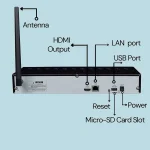
- Ports: Ethernet, USB (x2), HDMI (4K output).
- Supported Protocols: TCP/IP, UDP/IP, HTTP, DHCP, and more.

WF4KN Wireless NVR Specifications
- Model: WF4KN
- Number of channels: 8 (Wi-Fi 802.11ah, HaLow 900MHz)
- Wireless standard: IEEE 802.11ah (Wi-Fi HaLow)
- Wireless frequency band: 902 to 928MHz
- Supported video resolution: 4K/8MP 3840×2160
- Live view frame rate: 4K at 15fps (auto fps, adaptive bitrate)
- Live split screen view: 1/4/9
- Internal SATA HDD: 1 SATA or SSD, max 6TB capacity
- Backup: USB flash drive
- Footage backup formats: LF, MP4
- Video encoding: H.264, H.265
- Audio encoding: G.726
- HDMI output: 1 (1280×1024, 1280×720, 1920×1080, 2560×1440, 3840×2160) with EDID
- Ethernet: 1 x RJ45 10/100 Base-T
- USB: 2 x USB 2.0
- Transmission bandwidth: up to 32Mbps
- Supported protocols: TCP/IP, UDP/IP, RTP (UDP), RTP (TCP), RTSP, NTP, HTTP, DHCP, SMTP, DNS, DDNS
- Menu language: English default, Spanish, French, Portuguese, and others
- Enclosure: Black metal
- Dimensions (W x D x H): 11.8 x 2.93 x 2.09 inches / 300 x 227 x 53mm
- Input voltage: DC12V/2A
- Power consumption (excluding HDD): 6W
- Operating temperature: 0°C to 40°C (32°F to 104°F)
Humidity: 20% to 85% RH
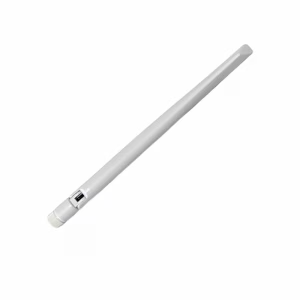
The WF4KN NVR includes a fixed external antenna designed specifically for this system. Using a different antenna or modifying the existing one is not recommended, as it may affect system performance and impact warranty coverage.
Guides and Manuals
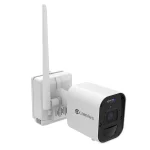
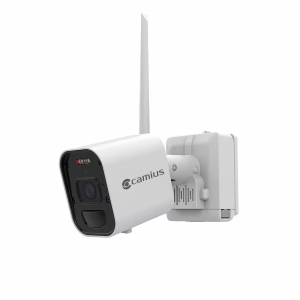
Main highlights of the Camius Wireless Security Cameras for Outside Installation
- Resolution: 4K (3840 x 2160).
- Lens: 2.8mm wide-angle.
- Night Vision: Infrared LEDs, up to 49 ft.
- Motion Detection: PIR sensor with 33-ft range and 120° coverage.
- Battery: Rechargeable lithium-ion.
- Weatherproofing: IP66-rated for outdoor and indoor use.

WF4KC2 4K Wireless Security Cameras with Audio and Night Vision Specifications
- Camera model: WF4KC2
- Wireless standard: IEEE 802.11ah (Wi-Fi HaLow)
- Wireless frequency band: 902 to 928MHz
- Image sensor: 4K (8 megapixels)
- Effective pixels: 3840×2160 (16:9) 1/2.7″
- Video resolution: 3840×2160 (8MP)
- Minimum illumination: 0 Lux (IR LED on)
- Transmission distance: Max 2,200 ft / 671m in open air with no obstacles, clean line of sight
- PIR sensor: Built-in
- PIR detection range: 120 degrees / 33 feet (10 meters)
Focal lens: 2.8mm (F1.6) - Field of view: H: 111 degrees, V: 59 degrees, D: 134 degrees
- Microphone: Built-in
- Speaker: Built-in
- Night vision distance: Max 49 feet / 15 meters
- White LED distance: Max 49 feet / 15 meters
- Operating temperature: -4°F to 122°F (-20°C to 50°C), less than 90% relative humidity
- Startup temperature: 14°F to 122°F (-10°C to 50°C)
- Ingress protection: IP66
- Enclosure: High-quality metal, outdoor rated
- Input voltage: DC 5V
- Power consumption: 2.3W
The WF4KC2 camera includes a fixed external antenna designed specifically for this system. Using a different antenna or modifying the existing one is not recommended, as it may affect system performance and impact warranty coverage.
FAQs about wireless security cameras with DVR
What is Wi-Fi HaLow and how does it help this security camera system?
Wi-Fi HaLow is a wireless standard based on the IEEE 802.11ah specification. It operates at approximately 900MHz, a lower frequency than the 2.4GHz and 5GHz bands used by standard Wi-Fi. Lower frequency signals travel farther and pass through walls, trees, and physical obstacles more effectively. In this Camius system, Wi-Fi HaLow handles the direct connection between each of the 8 cameras and the NVR. The tested wireless range is up to 2,200 feet in open air with a clear line of sight and zero obstacles between the camera and the NVR.
Does this wireless camera system with DVR work with a monitor or TV?
Yes. Connect the NVR to any HDMI-compatible TV or monitor using an HDMI cable. The NVR outputs all camera feeds directly to the screen at full resolution. No streaming device, internet connection, or app is needed for local display. A monitor is not included with this system. You can add 4 more cameras to this system.
Do these wireless cameras work without internet?
Yes. The cameras connect to the NVR using a private Wi-Fi HaLow signal completely separate from your home or business router. No internet is needed for local recording, playback, or motion detection. An internet connection through a LAN cable to your router is needed only for remote viewing through the Camius View app or a web browser.
Do these wireless cameras work without local Wi-Fi?
Yes. The cameras connect directly to the NVR using a private Wi-Fi HaLow signal. Your local Wi-Fi router is not part of that connection. The system records and stores footage without any Wi-Fi network on the property.
Do I need internet or a cloud subscription to use this system?
No. This system does not require internet or a cloud subscription for any core function. Local recording, motion detection, person detection, two-way audio, siren, lights, and HDMI live viewing all work without internet. A cloud subscription is never required. Connect the NVR to your router via LAN cable only if you want remote viewing through the Camius View app or web browser.
How do I set up motion detection on these wireless security cameras?
Open the NVR recorder menu and go to Alarm, then Motion. Select the camera channel. Under the Switch dropdown, choose either Motion or Pedestrian.
- Motion detection triggers on any movement within the camera view, including vehicles, animals, and people.
- Pedestrian detection triggers only on confirmed human presence, reducing false alerts and extending battery life on battery-powered cameras.
To detect vehicles or any non-human movement, select Motion, then adjust the detection area on the grid and set the sensitivity using the Distance slider. Save the settings before exiting the menu. The NVR sends app alerts and email notifications when the selected detection triggers.
How do I store security camera footage locally?
This system stores all footage on the surveillance grade hard drive pre-installed inside the NVR. No setup is needed to start local recording (make sure to format the hard drive at the first time you start the system). The NVR writes footage to the hard drive automatically when recording begins. When the drive is full, the NVR overwrites the oldest recordings first.
How do I access these cameras using a web browser?
Connect the NVR to your router with a LAN cable. Open any web browser on a PC or Mac. Use the Camius device config tool to scan your local network and find the NVR’s IP address automatically. Enter that IP address in the browser address bar and log in with your NVR credentials. No plugin is needed on modern browsers. The web browser interface is used for NVR configuration and checking playback one camera channel at a time. For live view, connect a monitor directly to the NVR using the HDMI output, or use the Camius VMS desktop application on Windows or Mac. For step-by-step instructions, follow how to configure a Camius NVR using a web browser.
Do these wireless cameras work with a 4K TV or monitor?
Yes. Connect the NVR to any HDMI-compatible TV or monitor using a standard HDMI cable. The NVR outputs live footage and recordings from all cameras directly to the screen. No internet, app, or streaming device is needed for local TV viewing.
Does Wi-Fi HaLow penetrate walls better than standard Wi-Fi?
Yes, for common building materials. Wi-Fi HaLow operates at 900MHz, a lower frequency than the 2.4GHz and 5GHz bands used by standard Wi-Fi routers and most consumer wireless cameras. Lower frequency radio waves lose less energy passing through drywall, plywood, wood, standard glass, furniture, and insulation. In typical residential and commercial construction, the signal passes through these materials with moderate reduction in range. Dense materials including concrete, brick, stone, metal, and Low-E glass reduce signal strength significantly. For best performance, the NVR antenna should have a clear or minimally obstructed path toward each camera.
What building materials affect the wireless signal between the NVR and cameras?
The wireless signal passes through drywall, plywood, standard glass, wood, and insulation with low to moderate reduction in range. Dense or reflective materials reduce the signal more significantly. Concrete walls and reinforced concrete floors limit penetration due to their density and the presence of rebar and moisture. Brick and stone absorb radio waves and are difficult for the signal to pass through in thick sections. Metal surfaces including steel beams, metal cabinetry, copper pipes, and aluminum blinds reflect the signal rather than allowing it to pass through. Large volumes of water, including fish tanks and water heaters positioned between the NVR and a camera, absorb signal as well. Modern Low-E energy-efficient windows contain a metallic coating that reflects rather than transmits radio signals.
How do I get the best wireless signal in a building with thick walls or dense construction?
Place the NVR so its antenna has a direct path toward the cameras through the fewest and least dense barriers. In concrete or brick buildings, position the NVR near a window or open doorway that faces the cameras rather than through multiple thick walls. In most installations, the NVR sits indoors and the cameras mount on exterior walls or in open outdoor areas. The signal in that setup passes through one exterior wall at most, which is manageable for the 900MHz HaLow frequency in standard construction. If the NVR must stay deep inside a building with dense walls, use an RG58 coaxial cable extension to move the NVR antenna closer to a window or exterior opening. Test signal strength at each camera location before permanent installation. Range through dense materials will be shorter than the 2,200-foot open-air maximum.
Is Wi-Fi HaLow suitable for 4K security camera video?
Yes, within the design parameters of this system. Wi-Fi HaLow at 900MHz is optimized for reliable long-range wireless connections at moderate data rates, which matches the requirements of a direct camera-to-NVR connection. The Camius WF4KN wireless NVR and WF4KC2 cameras use HaLow for a dedicated point-to-point connection between each camera and the recorder at a transmission bandwidth of up to 32Mbps. The cameras stream 4K video at 15fps using adaptive bitrate encoding, which adjusts the data rate to match available signal conditions. This differs from routing 4K video through a standard Wi-Fi router across a congested home network, where bandwidth competition and signal interference cause the quality and reliability problems most buyers have experienced with standard wireless camera systems.
I have locations where running cable is not possible. Is this system the right fit?
Yes. The cameras connect to the NVR wirelessly using Wi-Fi HaLow technology with a range of up to 2,200 feet in open air with zero obstacle and clear line of sight. No cable runs between the NVR and any camera. The only cable requirement is the LAN cable from the NVR to your router if remote viewing is needed, and USB power cables at each camera location if continuous recording is required.
Do these wireless cameras record continuously or only on motion?
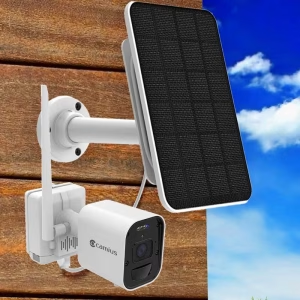
Recording mode depends on how each camera is powered. On battery power, the cameras record when motion or a person is detected. When plugged into a USB power outlet, you can activate continuous 24-hour recording. The battery stays inside the camera in both modes. A solar panel connected to the camera charging port extends battery charge time but does not change recording behavior. Cameras on solar charge still record on detection only.
Is there a delay when I open the live view on my phone?
A short delay of one to three seconds is normal when opening a live camera stream on the Camius View app. The delay occurs while the app establishes the connection to the NVR and begins streaming. The length of the delay depends on your internet connection speed. Once the stream loads, playback is continuous. If you don’t want any delays, consider Camius wired PoE IP camera systems.
Reviews
There are no reviews yet.