




With Camius, resetting or managing your NVR is hassle-free, thanks to intuitive software and comprehensive support. Upgrade to a Camius NVR, DVR recorder for better control, flexibility, and performance.
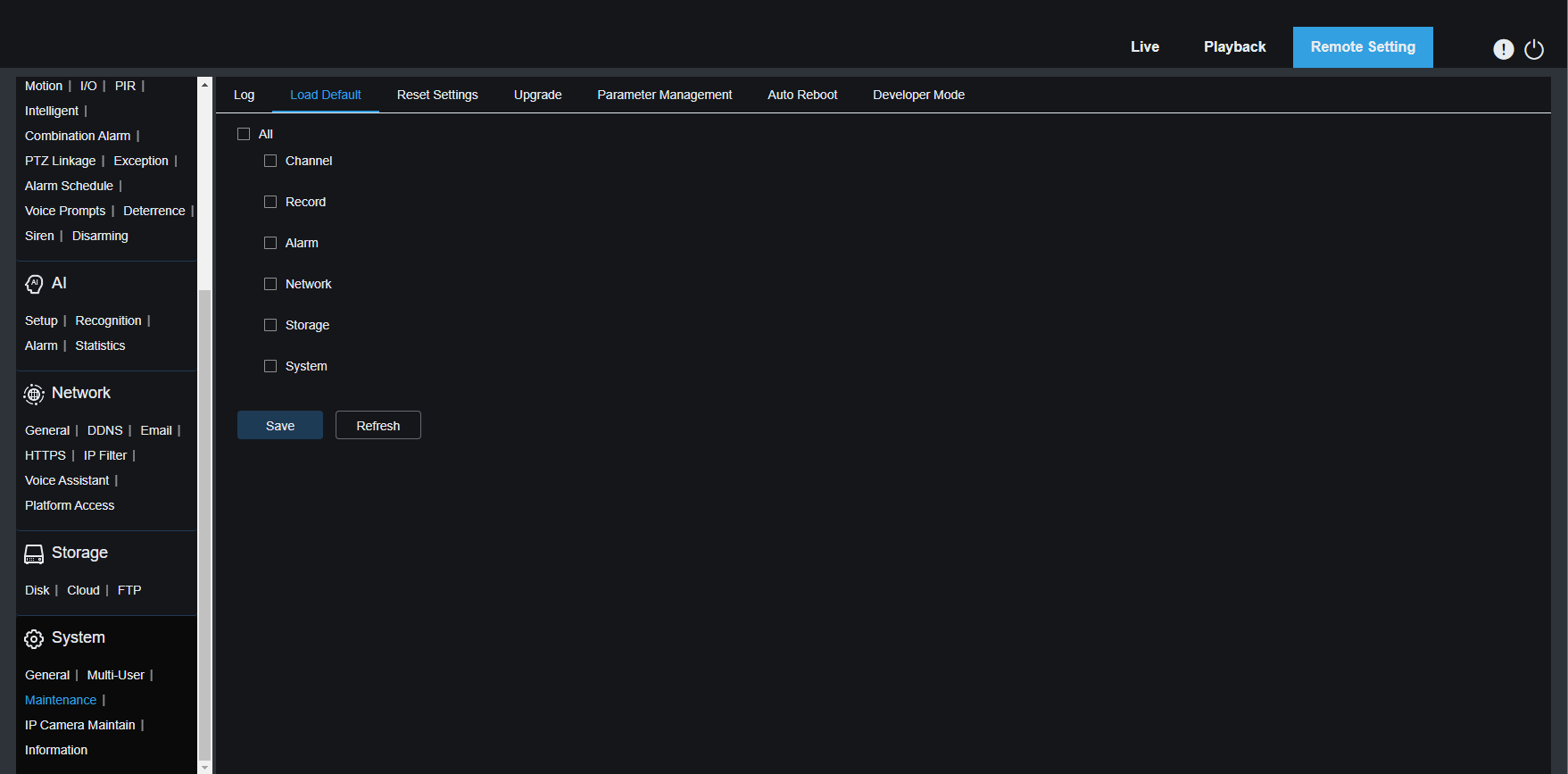
To reset DVR or NVR to default settings, navigate to the left bottom of the screen to the main menu. Select Setup >> System >> Maintenance >> Load Default
Here you can select the setting you wish to set to default. If you do not wish to reset the password, do not check the System boxes. Please note Load Default settings do not format your hard drive.
You’d need to enter the system password in the Authentication pop-up window (picture 1), which will lead to restarting your recorder (Picture 2). Picture 3 shows the web browser menu of the Camius recorder (IPVAULT2320PR is used as an example)
The R-series recorders have a RESET BUTTON on the DVR and NVR’s back panel and ‘Reset Settings‘ in the recorder’s menu (CLICK HERE for the detailed guide):
Click HERE for the detailed guide on the DVR and NVR reset button use
Navigate to Setup >> System >> Maintenance >> Reset Settings (Picture 3), where you can not select settings to reset so that it will reset your system completely, including the login credentials. You can choose ‘Format HDD‘ if you wish to format your hard drive, leading to erasing any recorded footage.
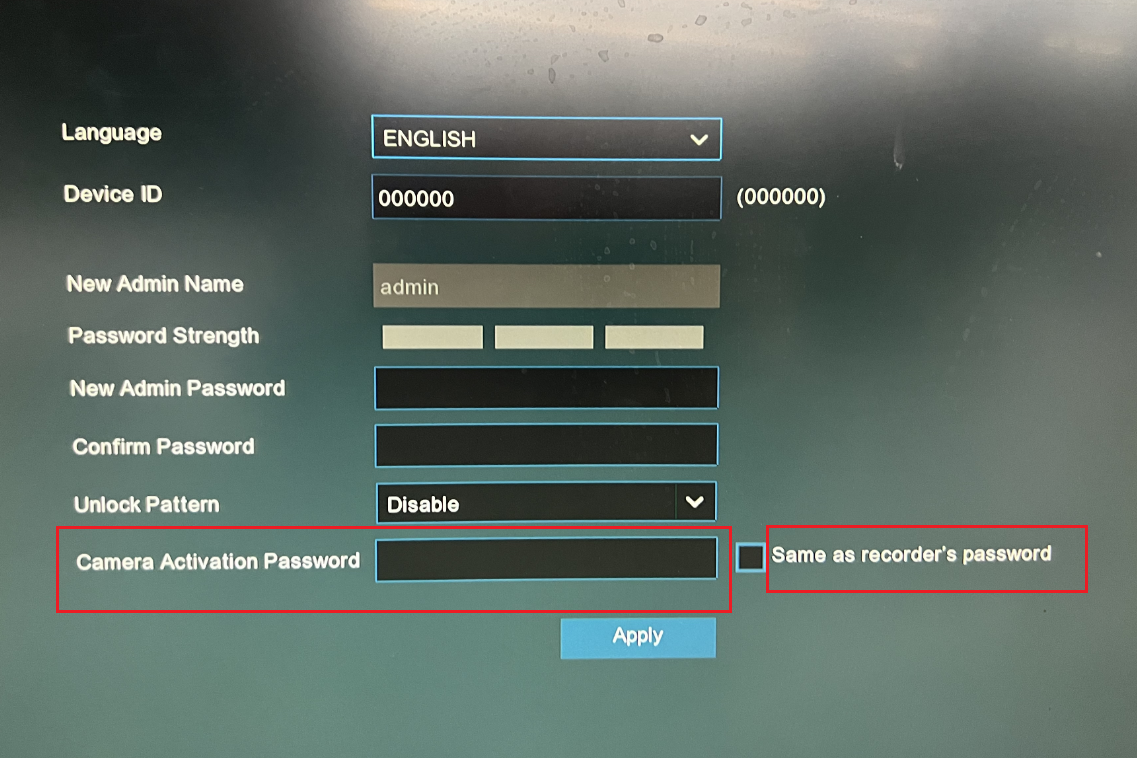
When you reset the DVR to factory settings, the connected IP cameras will be removed automatically, and you will need to add them back to the DVR. During the process of reconnecting the IP cameras, you will be required to set a password for each IP camera again. This password can either match the DVR’s password or be set differently, depending on the your preference.
I’ve attached a screenshot for you that shows the option “Same as Recorder’s password.” If this checkbox is ticked, the IP camera will be assigned the DVR’s password automatically.