


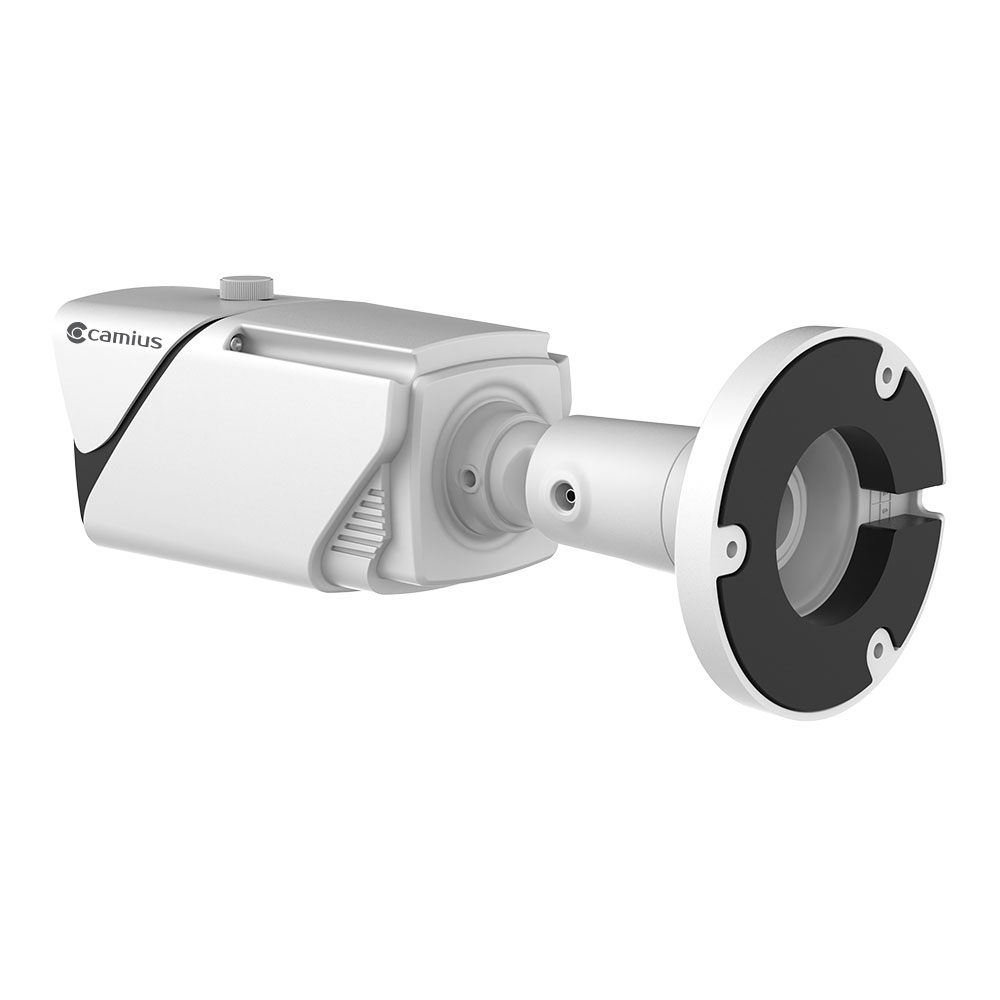
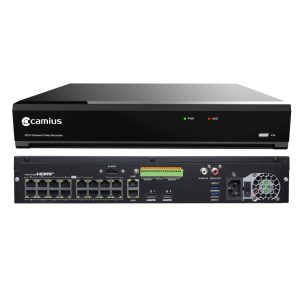
Outdoor IP Camera with Zoom for Precision Monitoring
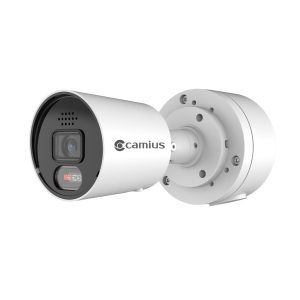
The Camius BoltVM5R10X is a 5MP outdoor IP camera engineered for accurate coverage of gates, perimeters, parking lots, and other distant targets. With a motorized 10x optical zoom lens (5–50mm), you can focus in and out remotely without losing image clarity. Whether you’re monitoring a warehouse, church, commercial lot, or large residential property, this camera provides the reach and detail you need.
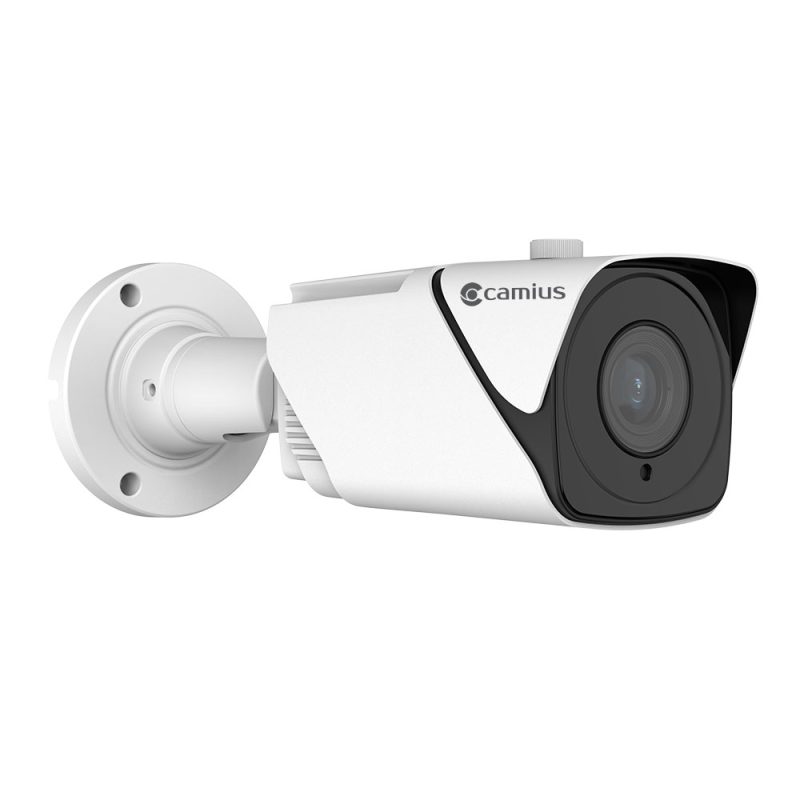
Key Features of the BoltVM5R10X Zoom Security Camera
10x Motorized Optical Zoom (5–50mm)
The Ø14 motorized lens adjusts remotely to zoom in on people, vehicles, or key areas. Horizontal FOV ranges from 51° down to 7°, letting you scan wide or focus tightly without repositioning the camera.

Outdoor Security Camera with Zoom & 5MP CMOS Sensor
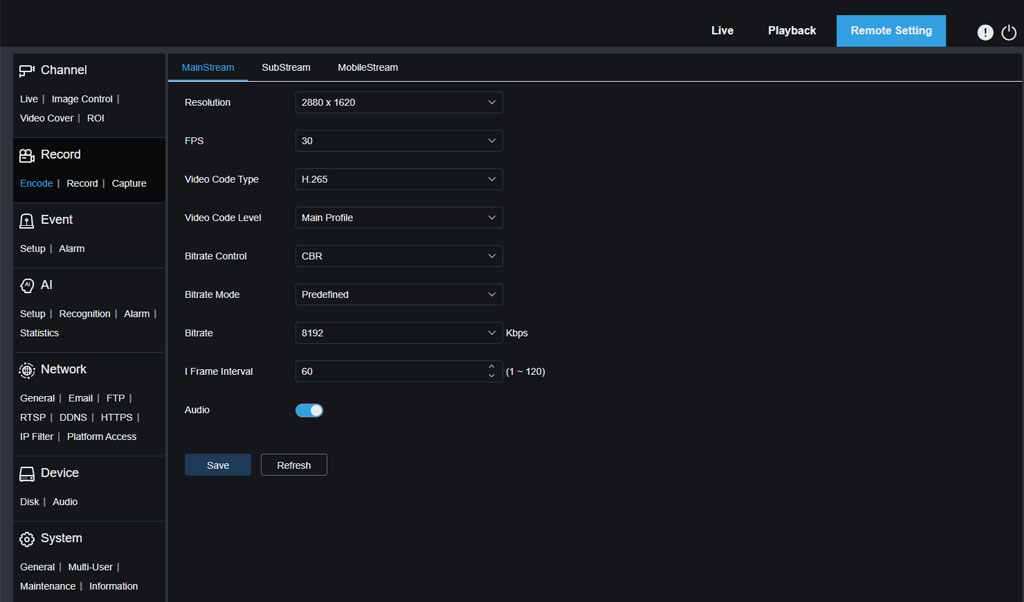
Delivers crisp 2880 x 1620 resolution at up to 30fps (60Hz). IR night vision extends up to 262 feet (80 meters), with true 0 lux black and white visibility when IR is active.

IP67 Weatherproof Metal Housing
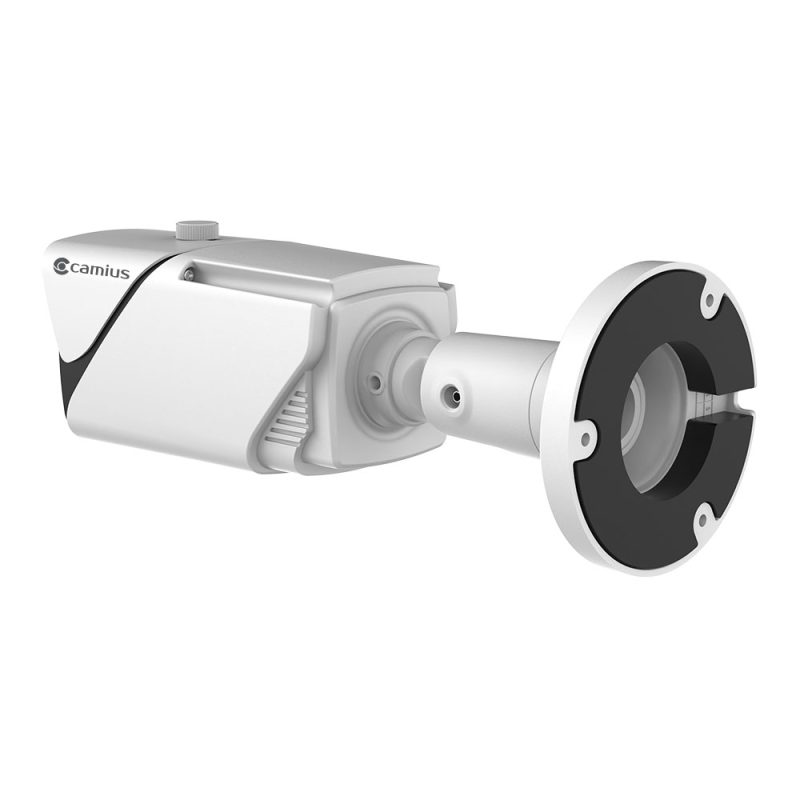
Built for harsh outdoor conditions — rated for -22°F to 140°F (-30°C to 60°C) and up to 95% humidity. Ideal for permanent outdoor mounting in the U.S. and Canada.
Security Camera with Optical Zoom, Smart Detection & AI Video Analytics
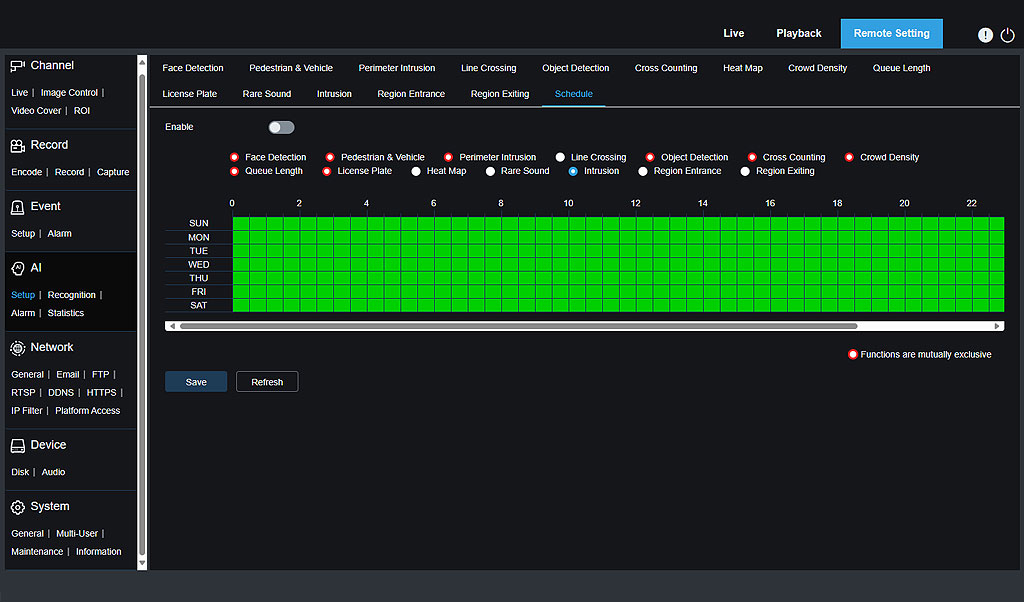
Get accurate alerts thanks to built-in AI:
- Human and Vehicle Detection
- Perimeter Intrusion & Line Crossing
- Face Recognition
- License Plate Detection
- Stationary Object, Heat Map, Crowd Density, Queue Length Monitoring
- Rare Sound Detection

Audio and Alarm I/O
Equipped with RCA audio input/output and one alarm input/output for integration with microphones, speakers, sirens, or sensors.
Plug-N-Play PoE Installation of Camius IP Camera with Optical Zoom
Camius IP cameras are plug-and-play with Camius PoE NVRs. Use the Camius View mobile app, browser, or desktop software for setup and remote access. Compatible with ONVIF (Profiles S, G, T), so it works in most professional surveillance environments.

Privacy = Security: Protecting Your Data
Footage is accessible only to authorized accounts, stored locally on SD storage or your Camius NVR/DVR hard drive. Compared to the cloud security cameras, you have an options for remote access using peer to peer mode (P2P) or DDNS & port forwarding, you retain control over your security.

Surveillance Camera with Zoom and NDAA Compliance
This camera meets NDAA requirements, making it suitable for government and federally funded projects. It’s also a safe, regulation-compliant option for schools, healthcare, and commercial sites.
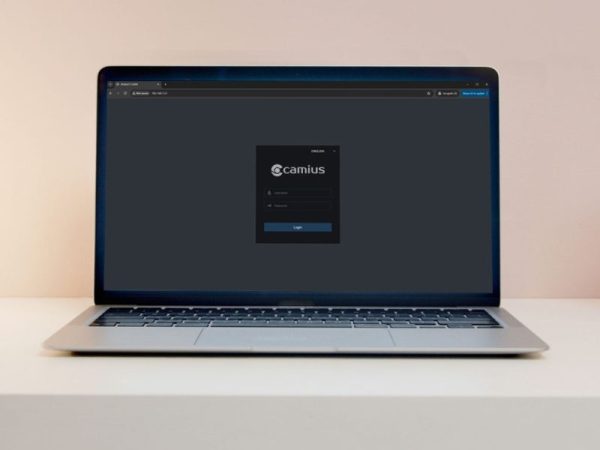
Zoomable Security Camera with Remote Access
Seamlessly manage and access your zoomable security camera’s settings and footage through the intuitive web browser interface, dedicated IP camera software for PC and Mac, and the Camius View app, providing convenient monitoring and control from anywhere, anytime.
Best Security Camera with Zoom for Business and Home
This PoE zoom camera checks every box: 10x optical zoom, AI detection, remote access, NDAA compliance, and no subscription. Whether you’re securing a business, home, or public facility, this camera delivers professional results at a competitive price.
Technical Specifications – Camius BOLTVM5R10X Zoom Camera
Video and Imaging
- Image Sensor: 1/2.7″ Progressive CMOS
- Effective Pixels: 5MP (2880×1620), 16:9 aspect ratio
- Minimum Illumination:
- Color: 0.004 lux @ F1.6 (AGC ON)
- B/W: 0 lux with IR on
- Day/Night Function: IR cut filter with auto switch (Day, Night, Auto, Schedule, Image modes)
- Wide Dynamic Range: Yes (WDR)
- Backlight Compensation: On/Off (5 zones)
- Digital Noise Reduction: 3D DNR
- Electronic Shutter Speed: 1/5 to 1/20,000s
- White Balance: Auto / Manual
- Gain Control: Auto
Lens and Zoom
- Lens Type: Motorized varifocal (Ø14)
- Focal Length: 5–50mm (10x optical zoom)
- Max Aperture: F2.0 ± 5%
- Field of View:
- Horizontal: 51° to 7°
- Vertical: 27° to 4°
- Diagonal: 60° to 8°
- Minimum Focus Distance: 0.2m to infinity
Infrared and Night Vision
- IR Range: Up to 262 feet / 80 meters
- True 0 lux performance in B/W mode with infrared on
Smart AI Video Analytics
Built-in Detection:
- Human and Vehicle Detection
- Face Recognition
- License Plate Detection
- Line Crossing Detection
- Perimeter Intrusion Detection
- Cross Counting
- Stationary Object Detection
- Heat Map
- Crowd Density Detection
- Queue Length Monitoring
- Rare Sound Detection
Audio and Alarm
- Audio I/O: 1 RCA input, 1 RCA output
- Alarm I/O: 1 input, 1 output
- Hardware Reset: Yes
Recording
MicroSD Card Slot: Supports up to 256GB (SD card not included)
Recommended Recording Method: For best reliability and extended storage, use with a Camius NVR
Network and Streaming
- Ethernet: RJ45 (10/100BASE-T)
- Streaming: Triple-stream (Main, Sub, Mobile)
- Compression: H.265 / H.264
- Resolution Options:
- Mainstream: 5MP, 4MP, 3MP, 1080p, 720p
- Substream: 720p, VGA, QVGA
- Mobile stream: VGA, QVGA
- Max Frame Rate:
- 25fps @ 5MP (50Hz)
- 30fps @ 5MP (60Hz)
- Bitrate: 256 Kbps to 8 Mbps (CBR / VBR)
- Network Protocols: TCP/IP, HTTP, DHCP, DNS, DDNS, RTP/RTSP, SMTP, NTP, UPnP, SNMP, HTTPS, FTP
- Web Browsers: Chrome (v57+), Firefox (v52+), Safari (v12.1+), Edge (v79+), IE10/11
- Streaming Method: Unicast / Multicast
- 3rd Party Integration: ONVIF Profiles S, G, T
Environmental and Power
- Operating Temperature: -22°F to 140°F (-30°C to +60°C)
- Humidity: Up to 95% (non-condensing)
- Weatherproof Rating: IP67
- Power Supply: 12V DC or PoE (802.3af)
Mechanical
- Housing: White, metal construction
- Mounting: Integrated wall mount bracket with 3-hole base. Can be installed on flat vertical surfaces out of the box. Compatible with optional pole mount brackets (sold separately) for alternative installations.
What’s included:
- Each BoltVM5R10X camera comes with a mounting kit, RJ45 waterproof lid, mounting template, and quick installation guide, ensuring a smooth setup process.
- Download Installation Guide
FAQs - 10x Zoom IP Camera for Outdoor Security
Is the Camius BOLTV5R10X zoom motorized?
Yes, the BOLTVM5R10X lens is motorized and adjustable remotely through the NVR, app, or browser. The varifocal 5 to 50mm lens delivers 10x optical zoom without the need for the lens’ manual adjustment.
Can this camera capture license plates?
Yes. The Camius BOLTVM5R10X, 2K PoE camera with 10x zoom, supports license plate detection when configured correctly. For best results, use Scheduled Day/Night mode, set a fast shutter speed (1/500–1/2000 during the day, 1/120–1/1000 at night), and enable WDR in daytime or HLC at night. Define a user-defined detection area where vehicles pass, and use Smart IR to prevent overexposure from headlights. The camera’s 10x optical zoom helps ensure license plates occupy enough of the frame for clear recognition.
Can you zoom in on security cameras?
Yes, many security cameras allow you to zoom in, but the method depends on the camera type. Traditional CCTV cameras often require manual lens adjustment to zoom and focus, which means physically changing the camera angle and twisting the lens to get the right view. However, modern security cameras like Camius offer advanced zoom options, including optical zoom and motorized zoom found in PTZ and varifocal models. These features let you zoom in remotely through an app or software, providing precise control without needing to access the camera physically. This capability is especially valuable for homes and businesses across the US, where flexible and clear surveillance is essential for effective monitoring.
Can a CCTV camera zoom and focus?
Certain CCTV cameras, such as those offered by Camius, include zoom and focus capabilities. Camius offers varifocal and PTZ cameras designed to zoom in and adjust focus, ensuring clear images at various distances. This is especially useful for businesses and homeowners in North America who need flexible, high-quality surveillance.
What is optical zoom on a security camera?
Optical zoom on a security camera, like those in the Camius lineup, uses a motorized varifocal lens to physically adjust the focal length. This allows you to zoom in or out without sacrificing image quality—maintaining full resolution and sharp detail at any zoom level.
Unlike traditional varifocal cameras that require manual adjustment at the camera itself, Camius motorized varifocal models let you control zoom and focus remotely through the NVR, mobile app, or desktop software. This gives you flexible, precision surveillance without needing to access the camera physically—ideal for both residential and commercial installations.
What is the difference between optical zoom and digital zoom on security cameras?
Optical zoom and digital zoom serve different purposes in security cameras like those from Camius. Optical zoom uses the camera’s physical lens to magnify the image, maintaining full clarity and detail without losing quality. This makes it ideal for security applications where sharp, clear footage is crucial. On the other hand, digital zoom enlarges a portion of the video electronically by cropping and scaling the image, which can cause pixelation and reduce image quality. While digital zoom allows you to zoom beyond the camera’s lens limits, it’s best used sparingly. Camius BOLTVM5R10X security cameras feature 10X optical zoom, ensuring high-resolution video for reliable monitoring in homes and businesses throughout North America.
What’s the difference between Motorized Focus & Zoom (MFZ) and PTZ?
Motorized Focus Zoom changes focal length (zoom) and focus remotely. PTZ (Pan Tilt Zoom) adds pan/tilt movement. BoltVM5R10X is MFZ: you control zoom (5–50 mm, 10×) and the camera auto‑focuses; it does not pan or tilt. If you are looking for the PTZ camera, check Camius SCOUT4K4XPTZ
How do I control the zoom on my NVR?
Open Live View → click the image → PTZ icon → Zoom “+ / –”. Click for small steps or press & hold for continuous zoom. Release to let Auto Focus sharpen the image.
Do I need to manually focus after zooming?
No. The camera triggers auto‑focus when you stop zooming. If the scene changes (e.g., day/night), tap Auto Focus again.
After zooming in, my picture looks blurry. How do I fix it?
Press Auto Focus. If it’s still blurry, zoom out slightly, make sure Focus Mode is Auto (if available), ensure the subject isn’t too close for the lens to focus, and improve lighting/contrast
How long can the Ethernet run be?
Standard PoE runs are up to ~100 m / 328 ft over Cat5e/Cat6. Longer distances require extenders or mid‑span solutions.
Will this Camius IP camera capture license plates?
Yes. The BoltVM5R10X is one of the best choices for fine detail because its 5–50 mm (10×) optical zoom lets you tighten the field of view so plates are large and readable in the live view. For reliable results:
- View/zoom: Zoom in until the plate looks big and clear in live view (not a tiny part of the scene).
- Placement: Mount roughly 8–12 ft high. Keep the horizontal angle to the plate modest (≈ ≤30°) and the vertical tilt shallow (≈ ≤15°) to reduce skew and glare.
- Distance: Use the motorized zoom so a plate occupies a meaningful portion of the live view; if it looks small on screen, tighten the view further.
- Motion blur: For moving vehicles, use a faster shutter (daylight example: around 1/500 s or faster). At night, limit slow shutter and add white light if needed.
- IR/glare: Reflective plates can bloom under IR. Aim to reduce reflections (avoid aiming straight at headlights/retro-reflective angles); add visible light for night capture when possible.
- Focus: After zooming, hit Auto Focus (and set Focus Mode = Auto if available).
- Recording quality: Judge clarity on the Mainstream (not the substream). Use a higher bitrate and avoid overly aggressive noise reduction that can smear letters.