


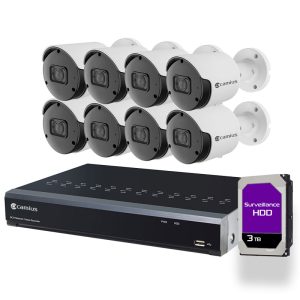
Get 8 PoE Security Camera System 5MP For Your Home and Business
Get peace of mind knowing your premises are monitored around the clock with super HD 2K video and audio quality. The innovative 8 channel security system boasts advanced features such as metal robust weatherproof cameras with Smart Motion, Intelligent Sound, AI Human & Vehicle Detection, Perimeter Intrusion, Line Crossing, Cross Counting Detection, and 24/7 recording. With email, push notifications, and NVR software, you’ll never miss a beat!
Plug-N-Play 8 Camera PoE Security System
Say goodbye to complicated installations and hello to easy setup with Camius hardwired 8 camera PoE security system. Our 8 IP cameras with audio monitoring and AI detection provide 24/7 coverage and remote access so that you can monitor your property from anywhere, at any time. The 8-channel NVR Recorder with a built-in power-over-ethernet switch makes installation a breeze. Say goodbye to confusing IP configurations and let Camius take care of everything! Get the best surveillance solution for your business and home today!

Plug-n-Play Hi-Tech 8 Camera Outdoor Security System
Once the Ethernet cable is plugged in, you instantly add PoE cameras; recording starts immediately without going through settings.
5 Megapixel 8 Channel Security System with Audio Recording
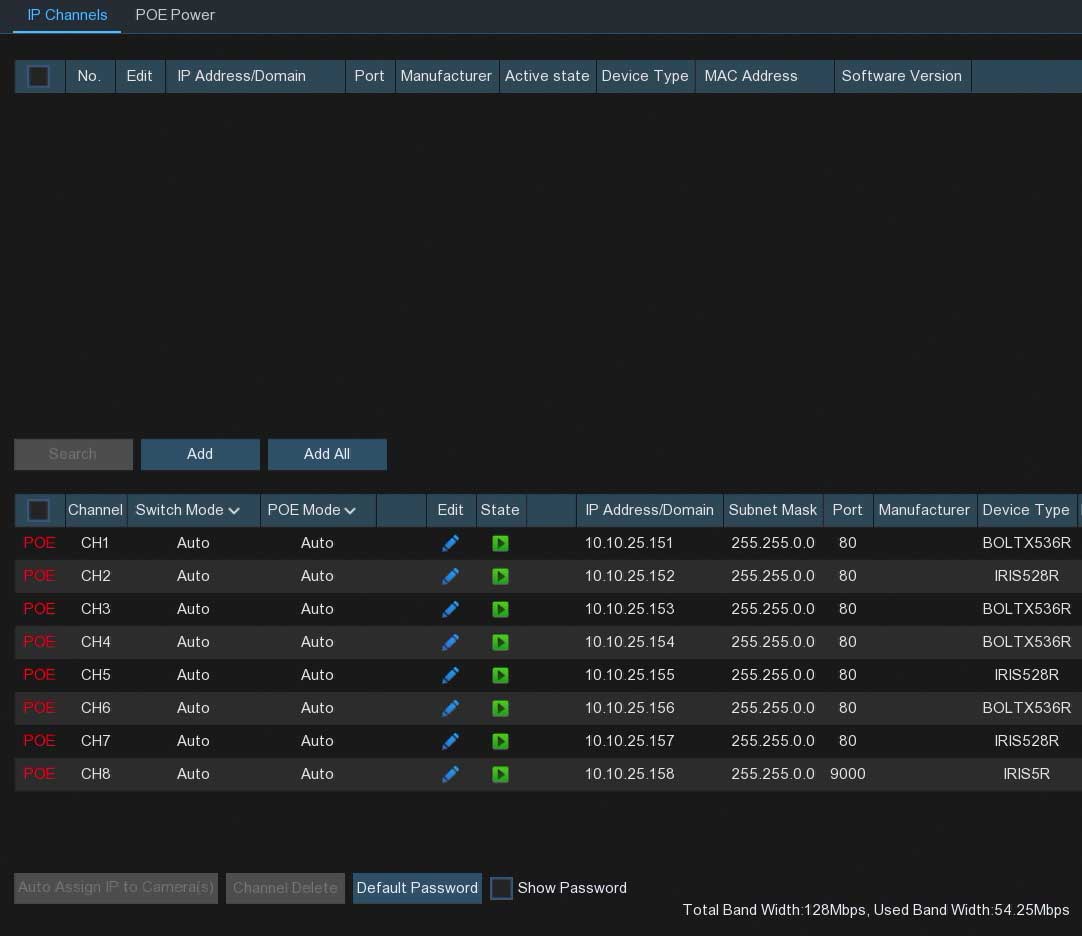
- Supports H.264 and H.265 compression for optimal video quality and high 128mbps bandwidth
- H.265 reduces storage use by up to 50% and improves bandwidth efficiency
- Extended recording durations
- Allows control of Camius camera audio settings
- Supports full 2K video resolution for high-quality footage
High-Performance Professional Outdoor Security Cameras for Enhanced Surveillance
The high-performance 8 PoE security camera system 5mp NVR kit offers advanced features for enhanced security. With 2K resolution and a wide 91 degree field of view, it captures crystal-clear footage. It has a built-in microphone, smart motion detection, and AI features. With 100-foot night vision and durable construction, it’s perfect for outdoor use. Easy installation with Power over Ethernet (PoE).

Highly Customizable Settings with Security Camera System for Business & Home
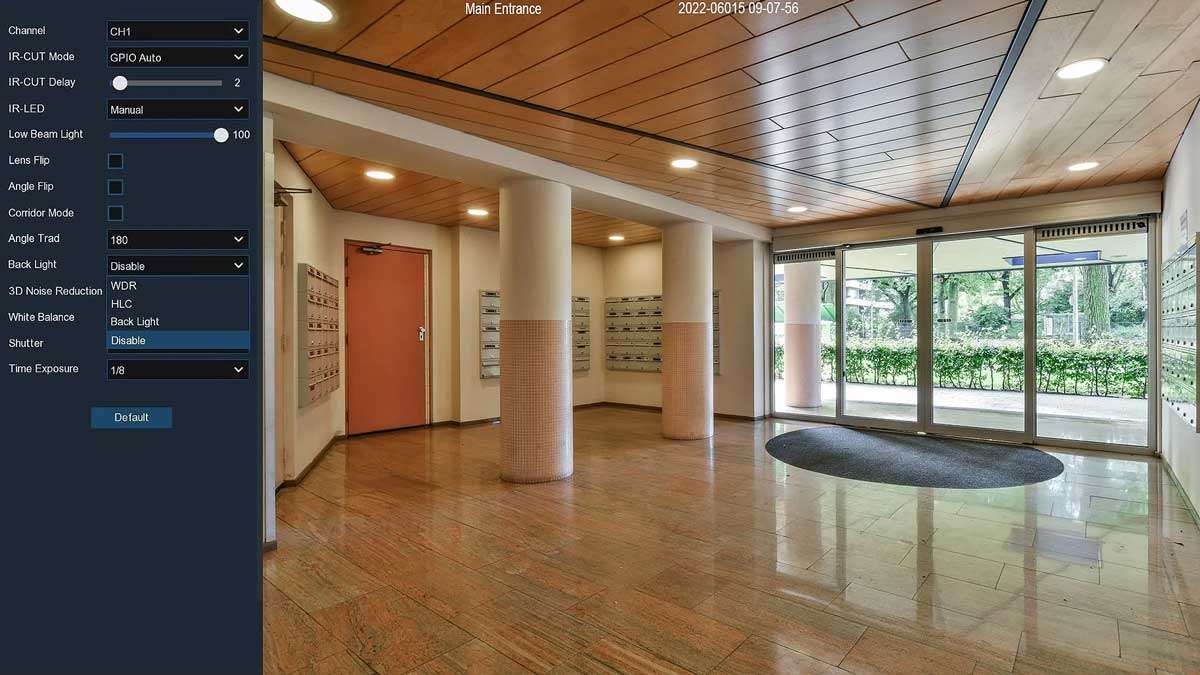
Camius 2K security IP cameras provide total control over your surveillance system. Customize image settings, IR options, and camera view. Save default settings for personalized operation. Enjoy maximum security and peace of mind.
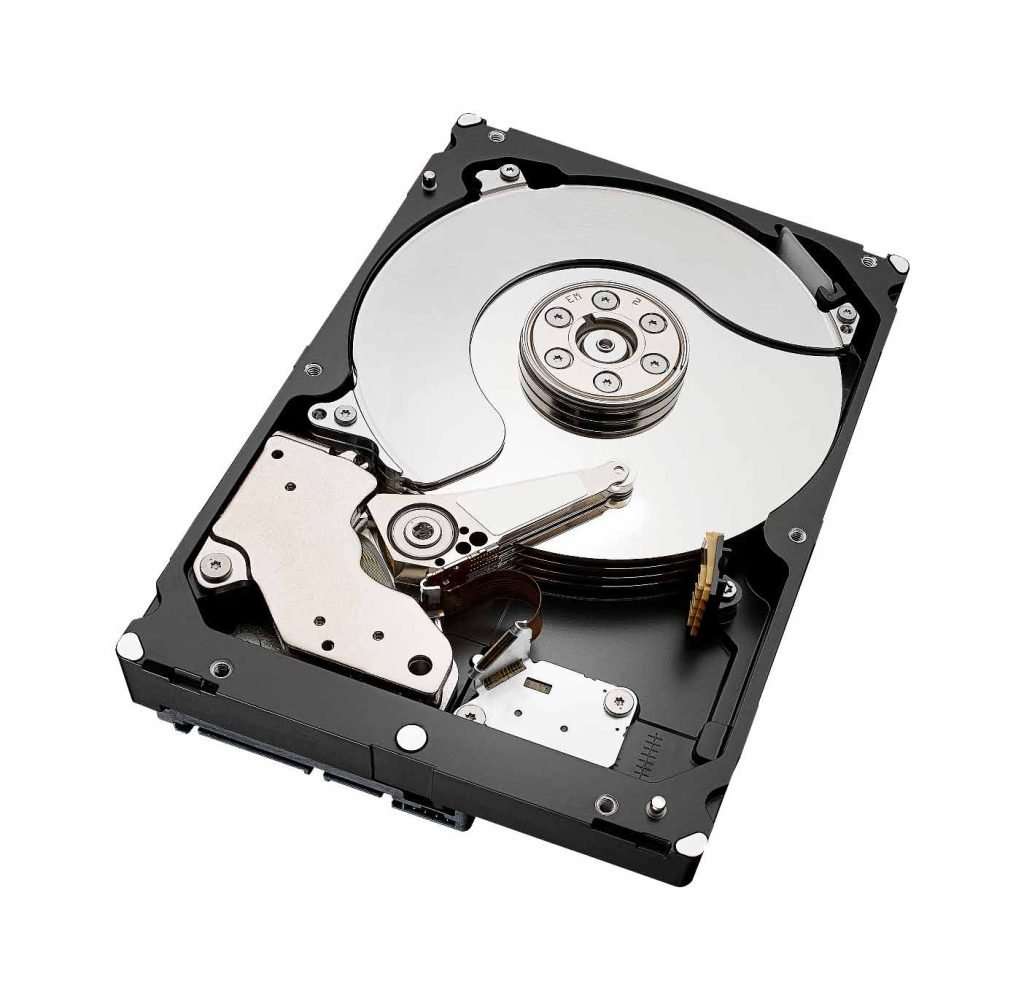
Reliable Storage with 8 Camera Security System
An intelligent security camera system is only as good as its storage, which is why Camius NVRs offer a dedicated section with details about the health of installed hard drives. To ensure maximum security, we recommend that you back up recorded events immediately to prevent losing footage if the system is set to overwrite. With reliable storage provided by Camius NVRs, you can have peace of mind knowing that your surveillance system is operating at optimal performance and that your footage is secure.
Instant Notifications and Customizable Alerts
Experience comprehensive security with the Camius NVR system. Enjoy Ultra HD live view and playback with a 128Mbps bitrate. Stay informed with instant push notifications via the Camius View app or email notifications. Customize alerts for motion, human, and vehicle detection. Set alarms for errors and video loss. With flexible scheduling and easy control, trust Camius to keep your property safe and secure.
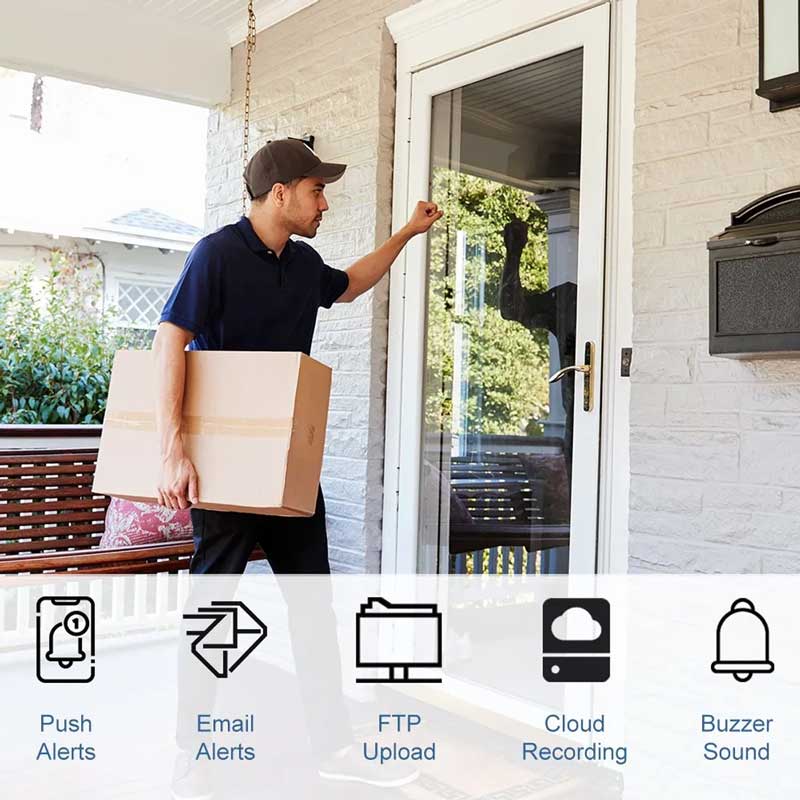

Enhance Your Security with Smart Motion Detection on Camius PoE Cameras
Camius PoE security cameras come equipped with smart video motion detection technology. The detection levels are greatly improved with the ability to detect motion, pedestrians, vehicles, or a combination of both. Users can easily set up detection areas for IP cameras and schedule detection hours and days.
When motion is detected, the PoE NVR system recording is triggered, along with other actions on your Camius NVR. You can save disk space by setting motion recording as the only recording method or activating both motion recording and standard 24/7 recording to access footage triggered by motion easily.
Follow this motion detection guide.
Sound Detection
The Camius 5 Megapixels security cameras have a feature that detects sudden loud noises near the camera. This Sound Detection feature can alert the user and initiate recording in Intelligent mode. To make use of this feature, you can enable Sound Detection and set up a schedule for these events. Additionally, you can utilize Intelligent Analysis to generate reports based on the recorded data.
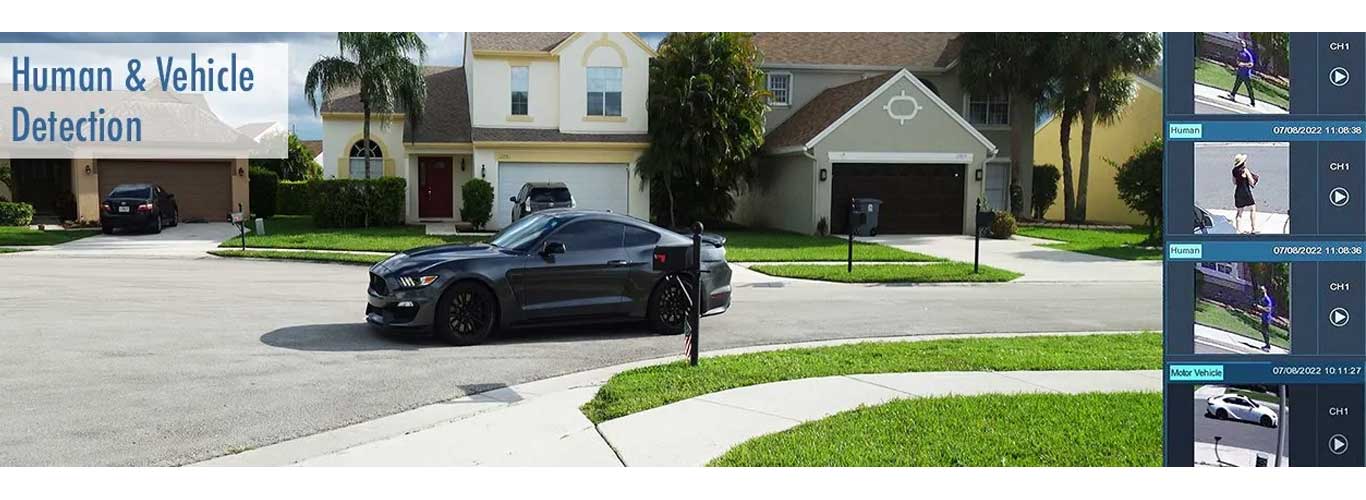
Human and Vehicle, Perimeter Intrusion Detection and more
The newest 2K cameras from Camius come with AI analysis for advanced detection capabilities. This feature goes beyond traditional video motion detection by allowing users to create detection zones for movement patterns and location tracking. With AI Detection, you can activate specific detections to receive precise reports and analytics.
In addition to triggering video recording in a special color and tag, AI Detection can initiate email or push notifications. The available AI Detection options include Human and Vehicle Detection (PD&VD), Perimeter Intrusion Detection (PID), Line Crossing Detection (LCD), and Cross Counting (CC).
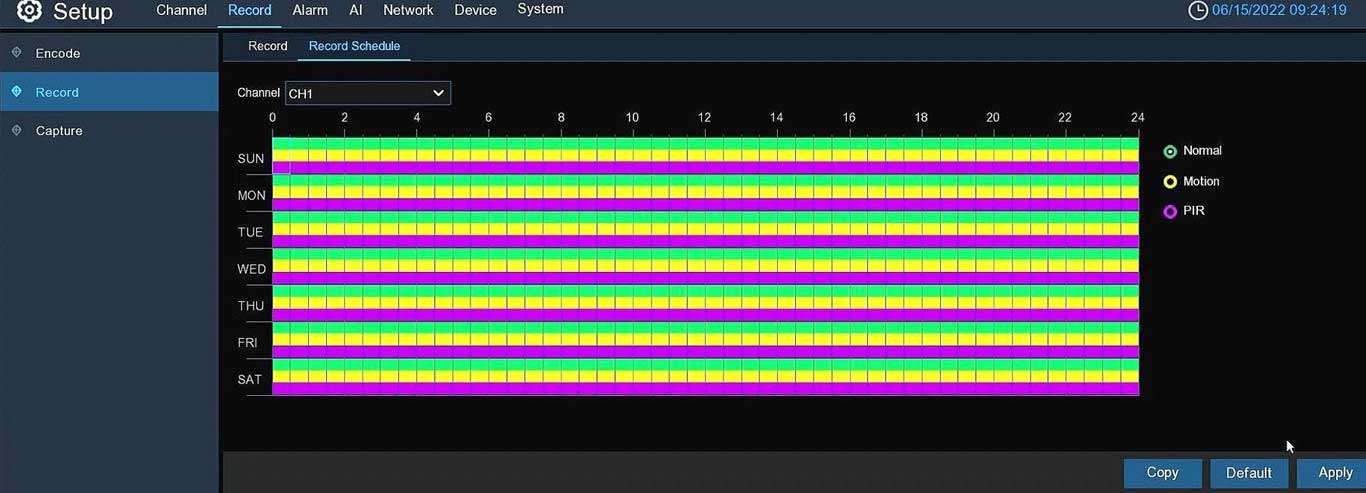
Security Camera System Recording
Select the recording type you need, such as normal or motion, and set up a schedule that suits your requirements. This feature can be applied to multiple channels simultaneously, making it easy to configure your system. Once enabled, you can access the recorded event on your NVR and CAMIUS VIEW smartphone app. The recording guide is available at this link.
NVR Software and Camius View app
Camius security systems go beyond the HDMI monitor and smartphone app. The free NVR software can turn any desktop, laptop, PC, or Mac into a 24/7 surveillance station. Users can monitor live video and audio streams in addition to playback and manage cameras with access to device settings. This software is excellent for multiple installations as it can combine cameras connected to a Camius NVR and individual Camius cameras on one screen. Follow this guide to add the NVR to the software
The Smartphone Security Camera App Camius View offers complete access to your cameras from any location. Click here on how to add your security cameras to the app.
Push Notifications
After setting up the recording schedule, you will receive push notifications through the Camius View smartphone app and be able to access the recorded events. You can choose from push notifications, such as those triggered by hard drive errors, low storage space, disconnection of cameras or complete systems, and Motion, Human, and Vehicle Detection.

Works with web browsers
You can access and control your Camius 8 camera PoE security system using a web browser including Chrome, Mozilla Firefox, Safari, etc. Click here for more details

What’s in the box:
- 8 Channel NVR with a preinstalled hard drive (IPVAULT1128PR)
- 8 x 2K Bullet Security Camera (BOLTX536R)
- 8 x 60ft CAT5E cable
- NVR’s power supply with a power cord, 3ft HDMI cable, 3ft ethernet cable, USB mouse, Quick Setup Guide


Technical Specs of Camius 8 camera PoE Security System
Specifications for Camius NVR (IPVAULT1128PR)
- Recording Bandwidth: Up to 128 Mbps
- Camera Support: View and record up to 8 HD IP cameras
- Network Interface: 8 LAN ports (Power-over-Ethernet) for seamless installation of Camius IP PoE cameras
- Camera Compatibility: Supports 4K (8 Megapixels) IP cameras
- Video Quality: Live view and playback resolutions up to 4K at 45fps, 4MP at 90fps, 2MP at 180fps
- Bitrate: Supports bitrate ranging from 64K to 16M
- Recording Modes: Dual or mainstream recording options, with features like Pre-recording (5sec), Schedule Recording, Capture Schedule, and Event triggered recording
- Encoding:
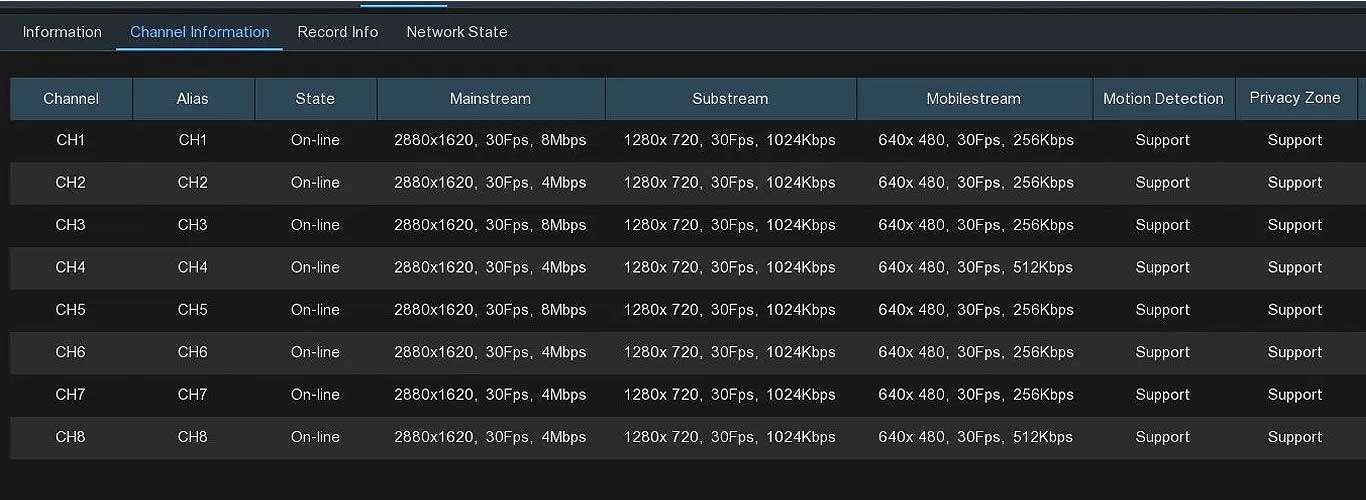
- Mainstream: 4K (3840 x 2160), 5.3MP (3072 x 1728), 2K (2880 x 1620), 2592 x 1944, 2592 x 1520, 2304 x 1296, 1080P (1920 x 1080), 1280 x 960, 1280 x 720 @ 30fps
- Substream: 1280 x 720, 640 x 480, 320 x 240, 1920 x 1080 @ 30fps
- Mobilestream: 320 x 240, 640 x 480 @ 30fps
- Audio Control: Manage Camius IP camera audio settings and volume
- Storage Capacity: Accommodates 1 internal SATA Hard drive up to 10TB; supports Net HDD (NAS) expansion
- Video Outputs: HDMI output supporting up to 4K resolution, VGA – 1080P video resolution
- Management Features: Includes user and logs management
- Alarm: Notifications via email and smartphone push notifications; supports FTP and Cloud (Dropbox/Google Drive) uploads, show a message NVR buzzer sound
- Deterrence: Available for supported Camius IP cameras, featuring lights and siren capabilities for enhanced security measures
- Playback Capabilities: Supports Date & Time search, as well as various search types including Normal, IO, PIR, Sound, Manual, Motion, and Intelligent; Smart Search functionality for efficient video retrieval
- Playback Modes: Fast forward / backward options (2x, 4x, 8x, 16x), as well as slow forward playback (1/2x, 1/4x, 1/8x, 1/16x) for detailed video analysis
- Intelligent Analytics: Supports advanced analytics for supported Camius IP cameras, including Face detection, Human & Vehicle Detection, Perimeter Intrusion, Line Crossing, Stationary Object Detection, Cross Counting, Sound Detection & more (some new features are in beta)
- User Interface: Front and rear USB ports for mouse control, backup, and firmware upgrades
- Language Options: Multiple menu languages available (English, Spanish, Portuguese, French, etc)
- Compatibility: Works with PC, Mac, and web browsers; Camius View app available for iOS and Android
- Network Protocols: Supports DHCP, PPPOE, DDNS, HTTPS, RTSP, UPNP; optimized for seamless network integration; P2P (peer to peer) for remote access
- WAN Connectivity: 1 RJ45 100/1000 Base-T1 port for wide area network (WAN) connection, ensuring high-speed data transfer capabilities over Ethernet
- Cloud Integration: Compatible with Dropbox and Google Drive for secure cloud storage
- Maintenance: Firmware upgrades and parameter management; reset button to load default settings, resetting the password
- Environmental Conditions: Operating temperature range of 32°F to 104°F (0°C to +40°C); designed for reliable performance in various environments
- Power Supply: DC48V/1.5A; PoE (IEEE 802.3af) with 48V power supply for 8 built-in PoE ports, ensuring stable power delivery
- Dimensions: Compact design measuring 12 x 9 x 2 inches (300 x 227 x 53mm) for easy integration into diverse setups
- Package Contents: Includes IPVAULT1128PR NVR, power supply, power cord, HDMI cable, network cable, USB mouse, screws for HDD installation, and NVR Installation Guide
Note: Design and specifications are subject to change without notice as we continually enhance our products. For the latest information, please visit Camius Website.
Specifications for Camius 5MP Outdoor Security Camera (BOLTX536R)
Camera Type: IP network (NTSC/PAL)
Shape: Bullet
Video:
- Resolution: MainStream: 2K 2880×1620 @ 30fps, SubStream: 1280×720 @ 30fps, MobileStream: 640×480 @ 30fps
- Compression: H.264, H.265, H.264+, H.265+ (SubStream supports MJPEG)
- Bitrate: MainStream: 8192Kbps, SubStream: 4096 Kbps, MobileStream: 1536 Kbps (Modes: Predefined or User-defined, Bitrate control: CBR or VBR)
- I-Frame: 1 – 120
- Lens (Field of view): 3.6mm F No.1.6±10% (Horizontal: 91°, Vertical: 46°, Diagonal: 110°)
- Image Sensor: 1/2.7” Progressive CMOS
Image Control Settings: IR-CUT Mode (Automatic / Color / Black White / Image / Schedule), IR Cut Delay with adjustable value, IR-LED (Manual or SmartIR), Angle Trad (0-180), Corridor Mode (On/Off), Mirror (Disable/Vertical/Horizontal/All), WDR, Backlight, HLC, White Balance, Shutter (Auto/Manual), Time Exposure, 3D Noise Reduction (Automatic / Manual / Off)
Video Cover: 4 areas
ROI (Region of Interest): 8 regions
Min. Illumination: Color 0.002 Lux @ F1.2; B/W 0 lux @ IR ON
Audio:
- Built-in Microphone: Enabled by default, adjustable volume levels 1-10
- Audio Compression: G.711A/G.711U
Camera Reset: On-camera reset button or via network using the IP camera web browser interface or Camius NVR (if the camera is added to the NVR)
Recording:
- Select Recording in MainStream or SubStream mode
- Record & PreRecording enabled by default
- Netbreak (default is off)
- 24/7 Normal Recording Scheduled enabled by default
- Motion Recording and Schedule is set by a user
Capture (Time Lapse):
- Select Normal and Alarm Interval for capturing snapshots (1080p resolution)
- Auto capture (default is off)
- Capture Schedule Recording (default is off)
Night Vision: 100ft (30m) (Black and white in complete darkness & color in the low light ambient environment)
Motion, Sound Detection:
- Supported (enabled by default) |
- Alarms: Post Recording (5 to 30 sec or OFF), Send Email, FTP Picture Upload, Cloud Picture, Enable Recording, Push Notifications to smartphone app
AI:
- Events: Face Detection (FD), Human & Vehicle Detection (PD&VD), Perimeter Intrusion Detection (PID), Line Crossing Detection (LCD), Cross Counting (CC), Heat Map (HM), Queue Length Detection (QD), License Plate Detection (LPD), Rare Sound Detection (RSD)
- Note, you can select and schedule a single AI function (some features are in Beta version).
- Alarm: Post Recording (5 to 30 sec or OFF), Send Email, Picture Upload to an FTP, Cloud (Dropbox, note when the camera is installed with the Camius NVR, Google Drive is supported as well), Enable Recording, Push Notifications to the Smartphone
Push Notifications: Receive to your smartphone Push Notifications on Storage Error (please enable only if you have installed a micro SD card on the camera), Motion Detection, Intelligent & AI Detection (install the camera with Camius Network Video Recorder for the broader range of notifications)
Network:
- DHCP (enabled by default)
- DNS,DDNS
- PPPoE (ON/OFF)
- SNMP (ON/OFF)
- Port Configuration: HTTP, Client (Media) Port, HTTPS, RTSP, TCP, UPNP, Multicast port, P2P (Peer to Peer)
- Email notifications to 3 receivers using SMTP Port & Server (Encryption Mode: OFF, SSL, TLS, or Automatic) | Interval: 1/3/5/10min
- Enable/Disable & Configure FTP, RTSP, DDNS, HTTPS, IP Filter
Disk (on-camera storage):
- Micro SD slot, supported max. capacity 256GB (SD card is not included) | Overwrite Mode: OFF or AUTO | Format Disk
- When installed with the Camius NVR, recording to the NVR’s hard drive is recommended
Cloud Recording:
- Activate recording to Dropbox
- When installed with Camius NVR, you can record to Google Drive as well
User Management (Multi-User): Admin + users, user permissions
Language: Multiple languages supported (English, Spanish, Portuguese, French)
Maintenance:
- Search Logs: All, System, Configuration, Alarm, Account, Record, Storage, Network
- Load Default Settings
- Upgrade FW
- Parameter Management (Import and Export Device Settings),
- Auto Reboot (ON/OFF)
Playback Search: Using Date and Events (Normal, Motion, Sound Detection, Netbreak, AI)
Remote Access: PC/Mac compatible software (VMS, VMS Pro), Web-browser, iOS & Android app (CAMIUS VIEW)
Security: Complicated password, Authenticated username and password, IP address filter
Ingress Protection: IP66 (Dust and waterproof)
Operating Temperature:
- −22°F ≈131°F / −30°C ≈ 55°C
- Humidity: less than 95% RH (no condensation)
Power Source:
- Power-over-Ethernet (IEEE802.3af) / DC12V (note: PoE switch, PoE injector, or power adaptor is not included with the camera)
Ethernet: RJ45 (10/100BASE-T)
Power Consumption:
- ≤ 4W/5.5W (with IR on), ≤ 2W/3W (IR off)
Weight / Dimensions: Approx. 14oz (397g) / Φ 2.8” x 6” (70.9 x 152.7 mm)
What’s in the Box: Camera with a mounting kit, waterproof RJ45 lid, mounting template, quick setup guide
Design and specifications may change without prior notice. The above information was accurate when completed. However, we may have added different features and functions due to our ongoing efforts to improve our products. For features not covered by the guides or manuals, please submit a question online by visiting camius.com/support. For updated information, visit www.camius.com
FAQs about 8 camera PoE security system
What is the best PoE security camera system?
The best PoE security camera system is one that combines high video quality, reliable power over Ethernet, the latest AI detection with minimum false alerts, high bandwidth network video recorder and easy remote access. Camius 8-camera PoE security system offers all-in-one protection for homes or businesses with a single cable for power and data. Camius NVRs automatically detect and power each PoE camera, record in 2K or 4K with high bitrate and 128Mbps bandwidth, and let you view footage through the free Camius View app on your phone or computer using a web browser or desktop software.
What is the disadvantage of a PoE camera?
PoE cameras from Camius require an Ethernet cable to connect to the NVR, which means some cabling during installation. Once connected, they are more stable than standard Wi-Fi cameras because power and data use the same cable. Camius PoE systems also allow long cable runs and provide consistent recording even during heavy network use.
How many cameras can an 8 port PoE switch support?
A Camius 8-channel PoE NVR includes eight PoE ports that each power one camera. This means you can connect up to eight Camius PoE cameras directly using Cat5e or Cat6 cables.
Which camera is better, 5MP or 8MP?
Camius 5MP PoE cameras record in 2K resolution and full 30 frames per second (FPS) and offer excellent detail with lower bandwidth use. Camius 8MP cameras record in 4K Ultra HD, capturing finer details like faces and license plates at a distance. For balanced coverage, many users combine both resolutions—5MP for general monitoring and 8MP for key areas needing higher clarity.
