Our Wireless Security Cameras with Hard Drive – All You Need
What’s Included?
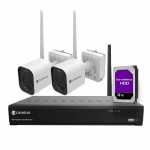
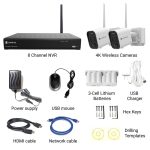
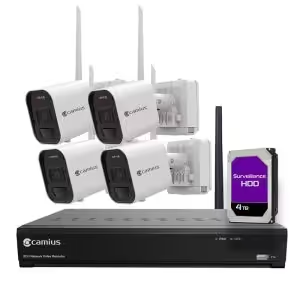
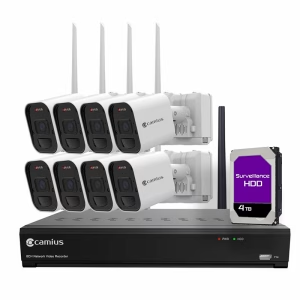
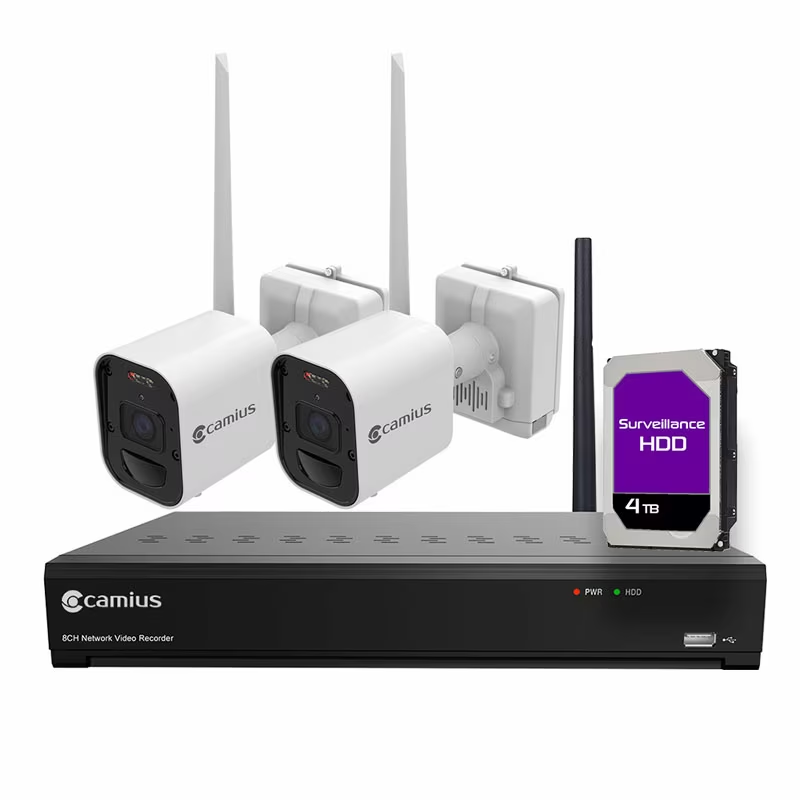
- (2) 4K Battery Operated Security Cameras (expandable up to 8 cameras)
- (1) Wireless NVR with 4TB pre-installed HDD
Features of the battery powered wireless security cameras:
Two-Way Audio & Active Deterrence Features
Night Vision & Motion Alerts
Access Remotely (No Subscription Required)
Useful Resources:
Why Choose This 4K Wireless Security Camera System?
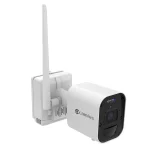
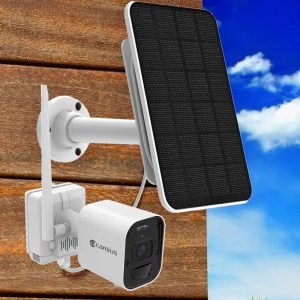
Camius wireless battery powered security cameras feature:

Easy DIY Installation – No Wires, No Mess
No wires! Our wireless security cameras use batteries. They connect to the included wireless NVR in just a few seconds.

No Monthly Fees – Local Storage of up to 6TB
Record using a 4-terabyte hard drive. You can expand it to 6TB. Your data stays private—you do not need cloud subscriptions!

4K Ultra HD Video & Two-Way Audio
Watch and record in 4K, listen and talk using Camius View smartphone app

Smart AI Detection & Active Intruder Deterrence
Our wireless cameras include Person detection. Smart detection reduces false alarms. Built-in red & blue lights and a loud siren deter intruders on the spot.

Extended Wireless Range with HaLow Wi-Fi
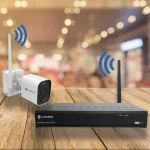
Our wireless cameras run on batteries and uses HaLow Wi-Fi technology. The long-range wireless signal covers over 2000 ft in a clear line of sight.

Supported Applications
Camius cameras go beyond the HDMI screen and smartphone app. The free NVR software can turn any desktop, laptop, PC, or Mac into a 24/7 surveillance station. You can watch live video and audio. You can also play back and manage cameras. Plus, you have access to device settings.
True Wireless NVR Security System– No Wi-Fi Needed
Camius wireless security camera system runs on batteries. It doesn’t need local Wi-Fi or Internet.
View live cameras & recording through the main recorder. You need an internet connection to access the Camius View app remotely.
Outdoor Cameras Without Subscription
- Store recordings locally.
- Get email notifications.
- Backup to your own Google Drive or Dropbox account.
wireless battery powered security cameras Ideal for homes, businesses, farms, remote and rural areas
Battery powered security cameras are best where wiring is not possible.
Homeowners secure their backyard, side entrance, or vacation home.
Businesses love Camius! They use our wireless cameras to protect food trucks, kiosks, and storage units. And many other locations where wiring can not be done
Remote & Temporary Sites – Safeguard construction sites, cabins
Camius wireless battery powered security camera system specifications
WF4KN 8 Channel NVR Recorder Datasheet
| Specification | Details |
|---|---|
| Model | WF4KN |
| Wireless Camera Channels | 8 |
| Compatible Wireless Cameras | Camius WF4KC and WF4KC2 battery-powered wireless cameras only |
| Wireless Standard | IEEE 802.11ah (Wi-Fi HaLow) |
| Wireless Frequency Band | 902-928 MHz |
| Camera Wireless Connection | Dedicated private Wi-Fi HaLow connection between the WF4KN NVR and compatible cameras |
| Maximum Wireless Range (WF4KC2) | Up to 2,200 ft (671 m) in open air with no obstacles and clear line of sight; actual range depends on conditions |
| Wireless Channel Configuration | Automatic or manual wireless channel selection |
| Camera Pairing | Pair supported cameras using the NVR menu and camera pairing button |
| Supported Video Resolution | 4K / 8MP (3840 x 2160) |
| Live View Frame Rate | 4K at 15 fps (automatic frame rate, adaptive bitrate) |
| Live View Layouts | 1 / 4 / 9 |
| Recording Modes | Motion/pedestrian-triggered and scheduled recording; continuous recording requires the camera to be connected to a charging power source and an HDD installed in the NVR |
| Post-Event Recording Duration | 10, 20, 30, 40, 50, 60, or 120 seconds |
| Camera Detection Features | Motion and pedestrian detection with compatible WF4KC2 cameras |
| Camera Battery Status | View remaining battery power of paired battery-powered cameras in the NVR interface |
| Internal Storage | 1 x SATA HDD or SSD; maximum 6 TB |
| NVR SD Card Storage | SD card recording supported; NVR SD card and internal HDD cannot be used simultaneously |
| Storage Management | Configurable recording overwrite and HDD S.M.A.R.T. status/tests |
| Backup Method | USB flash drive connected to NVR; web browser (web UI) download of selected recordings to PC/Mac |
| Footage Backup Formats | RF (the password-protected backup format for Camius Video Player), MP4 |
| Optional Cloud Upload | Event-triggered snapshots and video clips to Dropbox or Google Drive with service setup |
| Video Encoding | H.264, H.265 |
| Audio Features | Audio recording and two-way talk with compatible cameras |
| Alerts and Notifications | Mobile push notifications, email notifications, and local NVR buzzer; settings must be configured |
| Camera Deterrence Controls | Configure paired camera white warning lights (steady or flashing) and siren from the NVR |
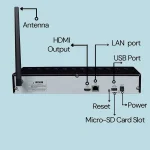
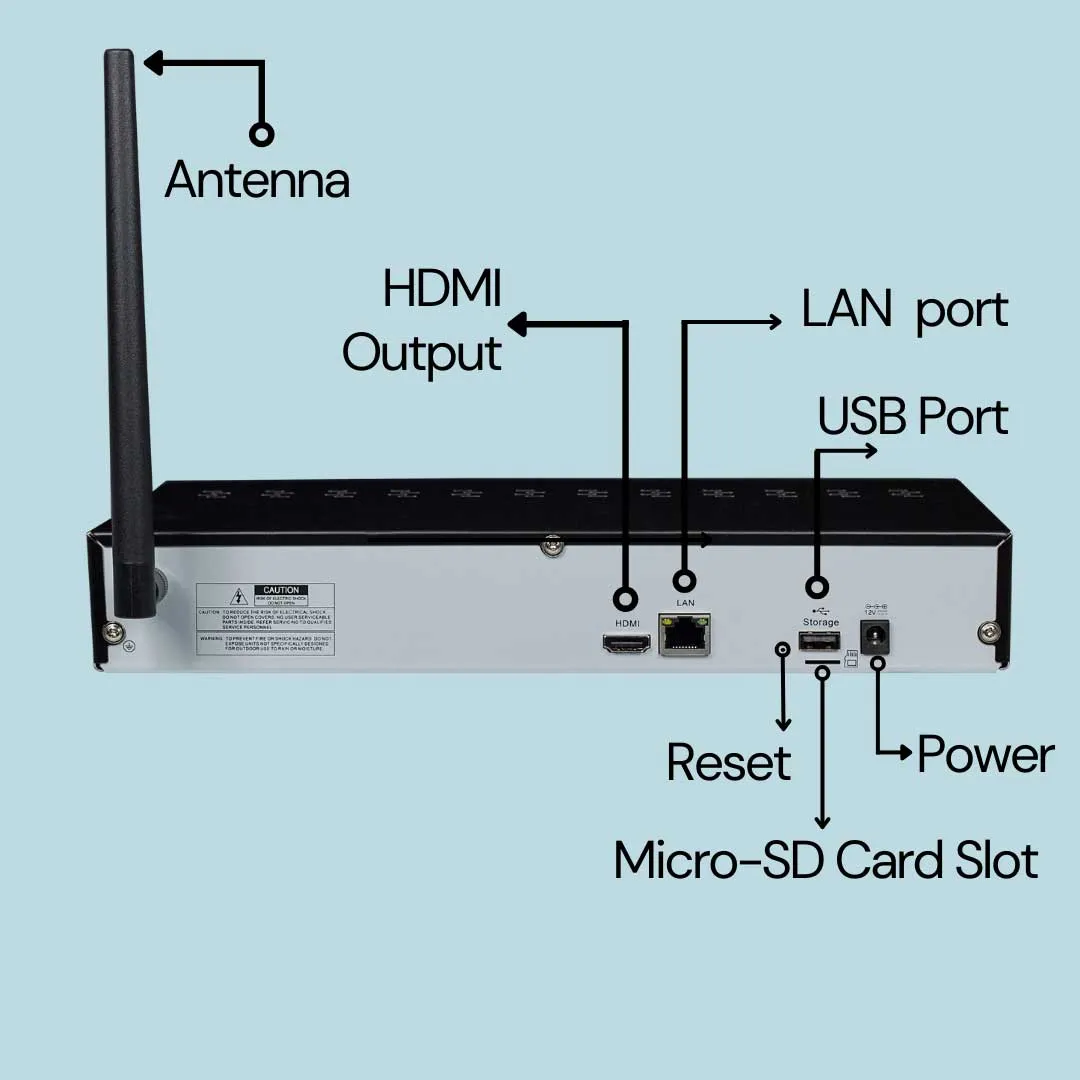
| HDMI Output | 1 x HDMI with EDID; 1280 x 1024, 1280 x 720, 1920 x 1080, 2560 x 1440, 3840 x 2160 |
| Ethernet Port | 1 x RJ45, 10/100 Base-T |
| USB Ports | 2 x USB 2.0 |
| Transmission Bandwidth | Up to 32 Mbps |
| Supported Protocols | TCP/IP, UDP/IP, RTP (UDP), RTP (TCP), RTSP, NTP, HTTP, DHCP, SMTP, DNS, DDNS |
| Remote Viewing | Camius View app for iOS and Android, VMS Pro desktop software, and supported web browsers (Chrome, Edge, Safari, Firefox) |
| Menu Languages | English (default), Spanish, French, Portuguese, and others |
| Enclosure | Black metal |
| Dimensions (W x D x H) | 11.8 x 2.93 x 2.09 in / 300 x 227 x 53 mm |
| Power Input | DC 12V / 2A |
| Power Consumption (Excluding HDD) | 6 W |
| Operating Temperature | 32°F to 104°F (0°C to 40°C) |
| Operating Humidity | 20% to 85% RH |
| Factory Reset | Through NVR system settings or by pressing and holding the physical reset button for 10 seconds. Restores factory settings, including the administrator password. |
| NVR Antenna | Fixed external antenna designed for the WF4KN system. Using a different antenna or modifying the existing antenna is not recommended, as system performance and warranty coverage may be affected. |

WF4KC2 wireless battery operated security cameras datasheet
| Specification | Details |
|---|---|
| Model | WF4KC2 |
| Wireless Standard | IEEE 802.11ah (Wi-Fi HaLow) |
| Wireless Frequency Band | 902–928 MHz |
| Image Sensor | 4K (8 megapixels), 1/2.7-inch |
| Effective Pixels | 3840 × 2160 (16:9) |
| Video Resolution | 3840 × 2160 (8MP) |
| Minimum Illumination | 0 lux (IR LEDs on) |
| Maximum Wireless Transmission Distance | Up to 2,200 ft (671 m) in open air, with a clear line of sight and no obstacles |
| PIR Motion Sensor | Built-in |
| PIR Detection Angle | 120° |
| PIR Detection Range | Up to 33 ft (10 m) |
| Lens | 2.8 mm, F1.6 |
| Field of View | Horizontal: 111°; Vertical: 59°; Diagonal: 134° |
| Microphone | Built-in |
| Speaker | Built-in |
| Infrared Night Vision Distance | Up to 49 ft (15 m) |
| White LED Illumination Distance | Up to 49 ft (15 m) |
| Operating Temperature | -4°F to 122°F (-20°C to 50°C) |
| Operating Humidity | Less than 90% RH |
| Startup Temperature | 14°F to 122°F (-10°C to 50°C) |
| Ingress Protection | IP66 |
| Enclosure | Outdoor-rated metal |
| Power Input | DC 5V |
| Power Consumption | 2.3 W |
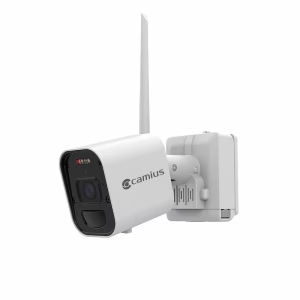
| Camera Antenna | Fixed external antenna designed for the WF4KC2 system. Using a different antenna or modifying the existing antenna is not recommended, as system performance and warranty coverage may be affected. |
Useful Resources:
FAQ About battery powered wireless security camera system
How to setup motion detection on wireless security cameras?
To set up motion detection on Camius 4K wireless cameras, access the NVR settings, select “Motion Detection,” choose your preferred mode (Motion or Pedestrian), adjust the detection area by drawing it on the screen, distance and save your settings. For more detailed instructions, refer to the complete guide provided.
Can Wireless Security Cameras Record?
Yes, Camius wireless security cameras can record. They offer centralized recording to an NVR (Network Video Recorder) equipped with a hard drive. These cameras provide various recording options, including continuous recording, scheduled recording, and motion-triggered recording, ensuring you capture all necessary footage.
Do Wireless Security Cameras Require A Subscription?
No, Camius wireless security cameras do not require a subscription.
Do You Have To Have Internet For Wireless Security Cameras?
Internet is not strictly necessary for all functions of Camius wireless security cameras. While the internet is required for remote viewing, notifications, email notifications, the cameras can operate and record locally without an internet or local wifi connection.
How Do I Store My Security Camera Footage Locally?
You store your footage to a Camius Wireless NVR (Network Video Recorder). Camius offers a 4K wireless NVR with a pre-installed 4TB hard drive. If you need more storage capacity, you can upgrade to a higher capacity HDD or SSD (Solid State Drive) up to 10TB. This setup allows you to store and manage your camera footage securely on-site, for months.
Can I access my wireless security cameras using a web browser?
The answer is yes. Visit this guide for more information
Can I view Wireless cameras on a 4K TV or Monitor?
Yes, you can view wireless cameras on a 4K TV or monitor. The NVR has a 4K HDMI video output, so you can connect the TV or monitor to the NVR and watch the live feed.
Do Camius Wireless Cameras support 2 Way Audio?
Yes, Camius Wireless Cameras support 2-way audio. For more details, refer to the Camius user guide.
How to activate Person Detection Push Notifications to my smartphone?
All Camius security camera systems offer human and person detection. Camius 4K wireless security cameras do also come with advanced person detection technology. This means the cameras can tell the difference between humans and other things like pets or vehicles, so you get fewer false alarms. You can enable PIR and Person Detection, set the detection area and receive push notifications to your smartphone while you are away. Visit this guide for the detailed step-by-step instruction on how to activate Person Detection camera notifications
Get a secure, industry-leading wireless security camera system designed for convenience and top-tier protection. With rechargeable battery powered wireless cameras, Camius provides the perfect solution for homes, businesses, rural, public facilities, and large outdoor areas.