

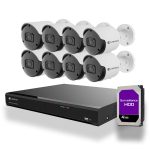
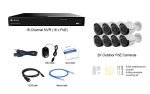


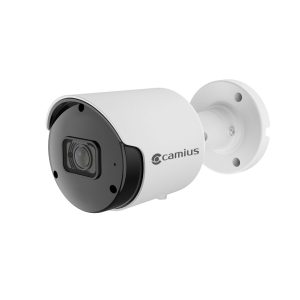
What This System with 8 Security Cameras for Outdoor Surveillance Includes
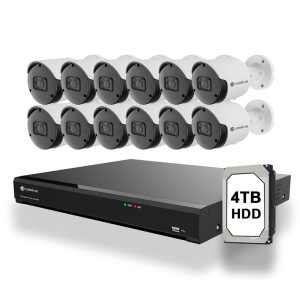
Camius 16 channel NVR system includes 8 wired PoE cameras that record in 2K video with audio. It’s designed for business owners or large residential properties who need high-quality video, reliable audio, and smart detection features. This 16 channel camera system gives you a professional setup without monthly fees.
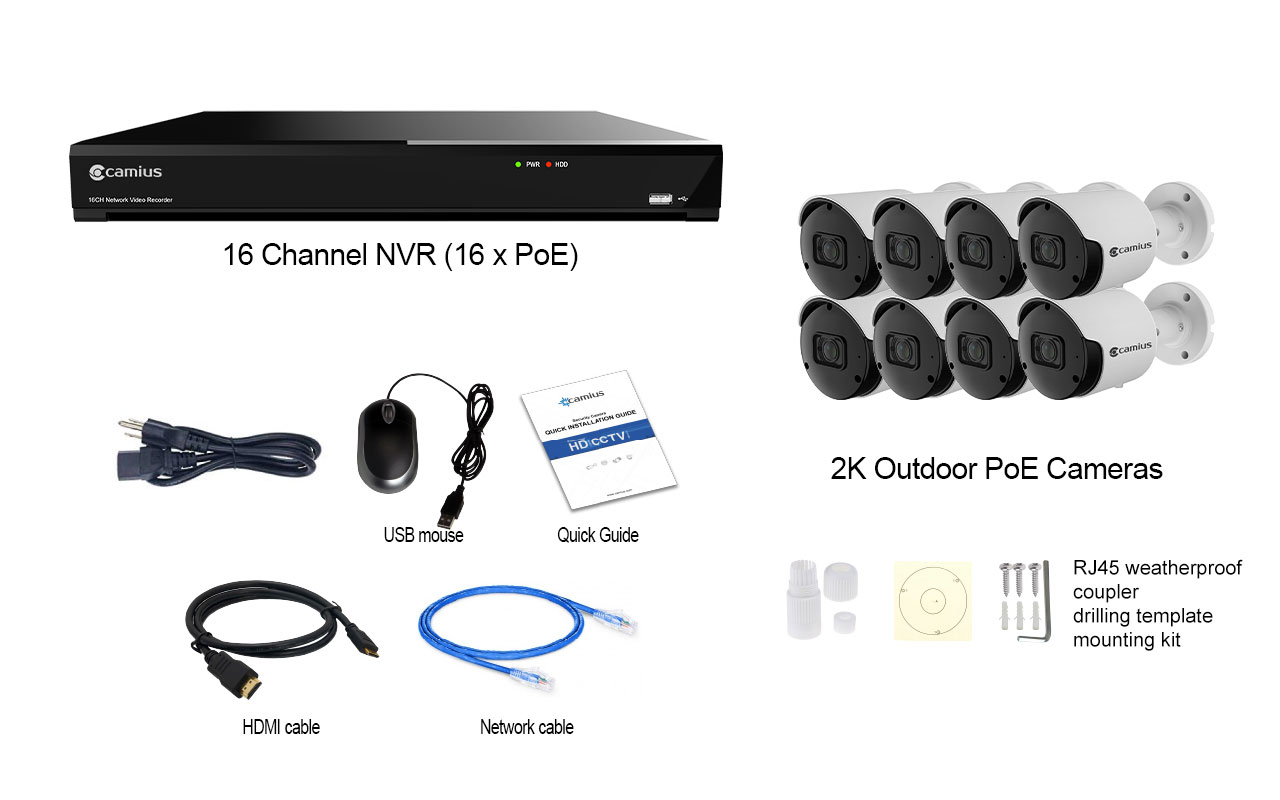
Contents of the Camius Surveillance Camera System for Business:
- 16 Channel NVR (IPVAULT2320PR)
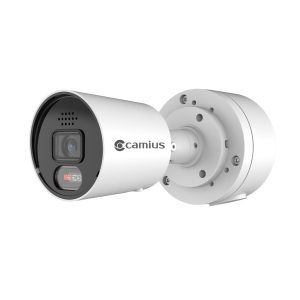
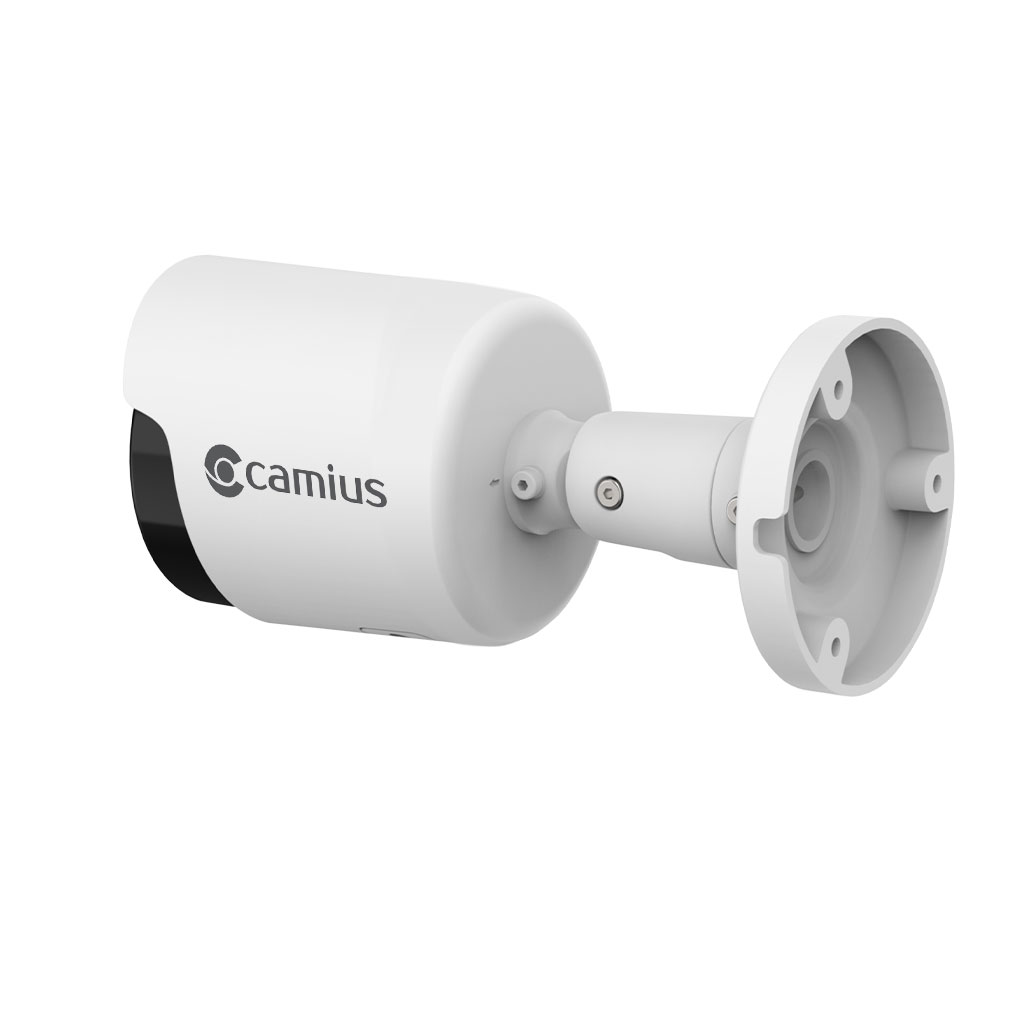
- 8 x 2K PoE Bullet Camera (BOLTX536R)
- NVR’s power cord, HDMI cable, Network cable, USB mouse, Installation Guide, Tech support info
Note: This bundle does not include cables. You can order all necessary cables separately under the NVR system add-ons.
16-Channel PoE NVR with 4TB, 8TB, and 16TB Storage Options
The 16 Channel NVR has a 16-port built-in power-over-ethernet interface, making the surveillance camera installation easy and fast. In addition, the network video recorder assigns a unique IP address to Camius IP cameras. As a result, users do not require a complicated camera configuration.
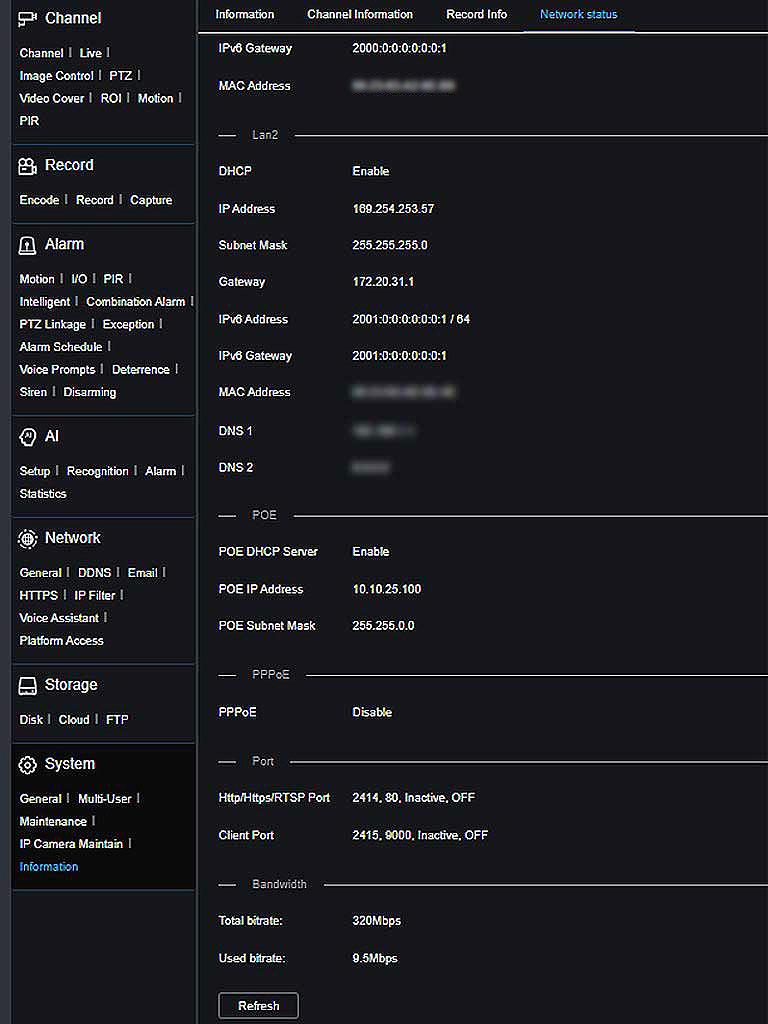
The IPVAULT2320PR, a 16 Channel NVR, offers 320 Mbps bandwidth with its capabilities to process not only 8 but 12 megapixels cameras as well.
How PoE Installation Works for This Outdoor Camera System
Camius 16 channel IP camera system includes a built-in 16 PoE (RJ45) ports, so each camera gets power, video, audio, and data through one cable. This means faster setup with less wiring and no need for extra power adapters. The NVR also auto-assigns IP addresses to each IP camera, so there’s no manual setup—just plug and play. It’s a smart solution for businesses that want a powerful system without the headache of complex installation.

How the 16-Channel NVR Records and Stores Your Footage
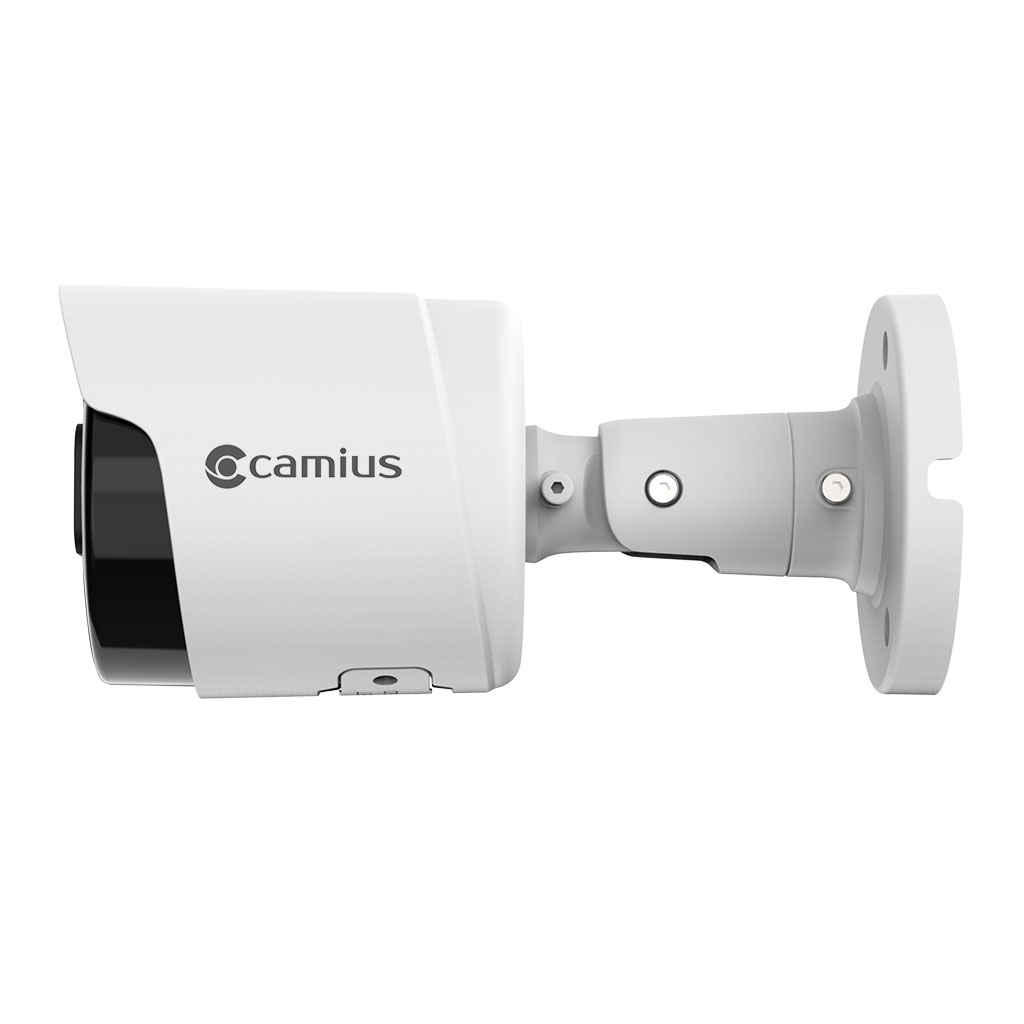
Each Camius 5MP PoE camera captures clear 2K video at 2880×1620 resolution and 30 frames per second. The built-in microphone records sound, and the 3.6mm lens provides a wide 91° diagonal view. These cameras offer up to 100 feet of night vision and come in a durable metal housing built for tough outdoor conditions.

H.265 Compression Cuts Storage Use by Up to 50 Percent
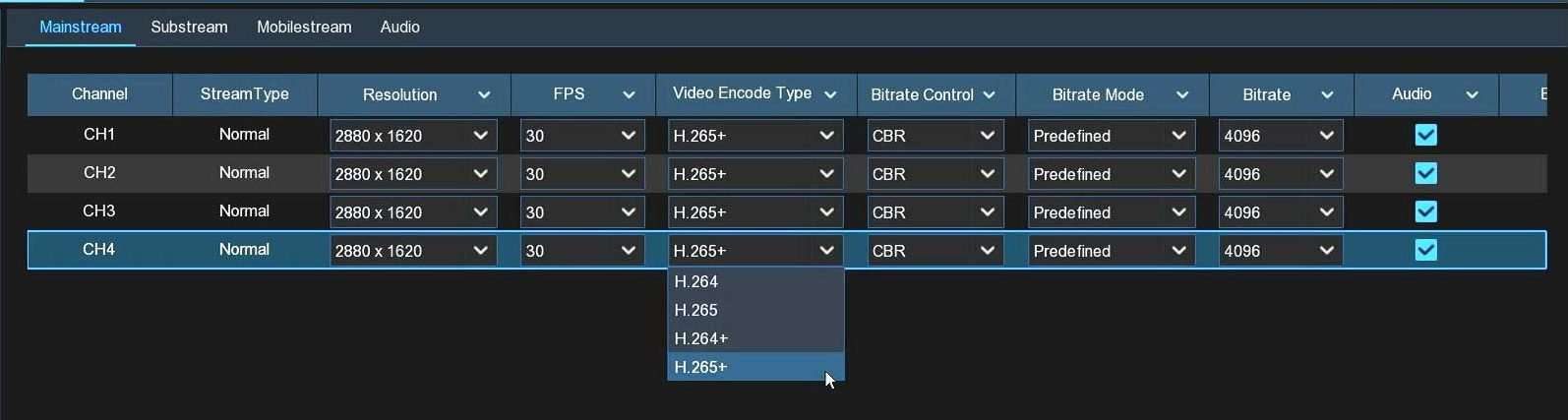
Camius 16 Channel NVR 8 camera system uses advanced video compression formats—H.264, H.265, and H.265+—to keep video quality high while reducing file size. With up to 320 Mbps recording bandwidth, you get smooth ultra and super HD video during live view and playback. This means more days of footage stored on your hard drive without needing extra space or losing important video clips
16-Channel NVR with 320 Mbps Bandwidth and 4K HDMI Output
Camius 4K 16 channel NVR camera system is built for businesses that need reliable, high-quality video and audio. With 320 Mbps NVR bandwidth, it handles 2K and 4K footage across all connected cameras without lag or frame drops. It also supports both internal and external hard drives, giving you the storage space needed for continuous recording and long-term retention.
Expandable Storage Up to 42TB with 24/7 Continuous Recording
As a business owner, particularly in industries like retail, restaurant, etc. securing your premises with a comprehensive camera system is paramount. Ensuring ample storage capacity for your footage is essential. With the Camius NVR, you have the flexibility of dual internal hard drives, each boasting up to 14 Terabytes of storage. Should your storage needs exceed this capacity, the NVR also features an external e-Sata port for expanded storage options.

Dual HDMI Outputs for Two Monitors in Commercial Installations
Camius 8 camera outdoor security system includes three video outputs for live monitoring. It offers two HDMI ports—one for a 4K main display and one for a 1080P secondary monitor (Spot or Call monitor)—plus a VGA output that supports 1080P. You can match the display resolution during setup, and the NVR will auto-adjust to your monitor for a clear and stable video view every time.

Customizable Camera Image Settings and Detection Zones
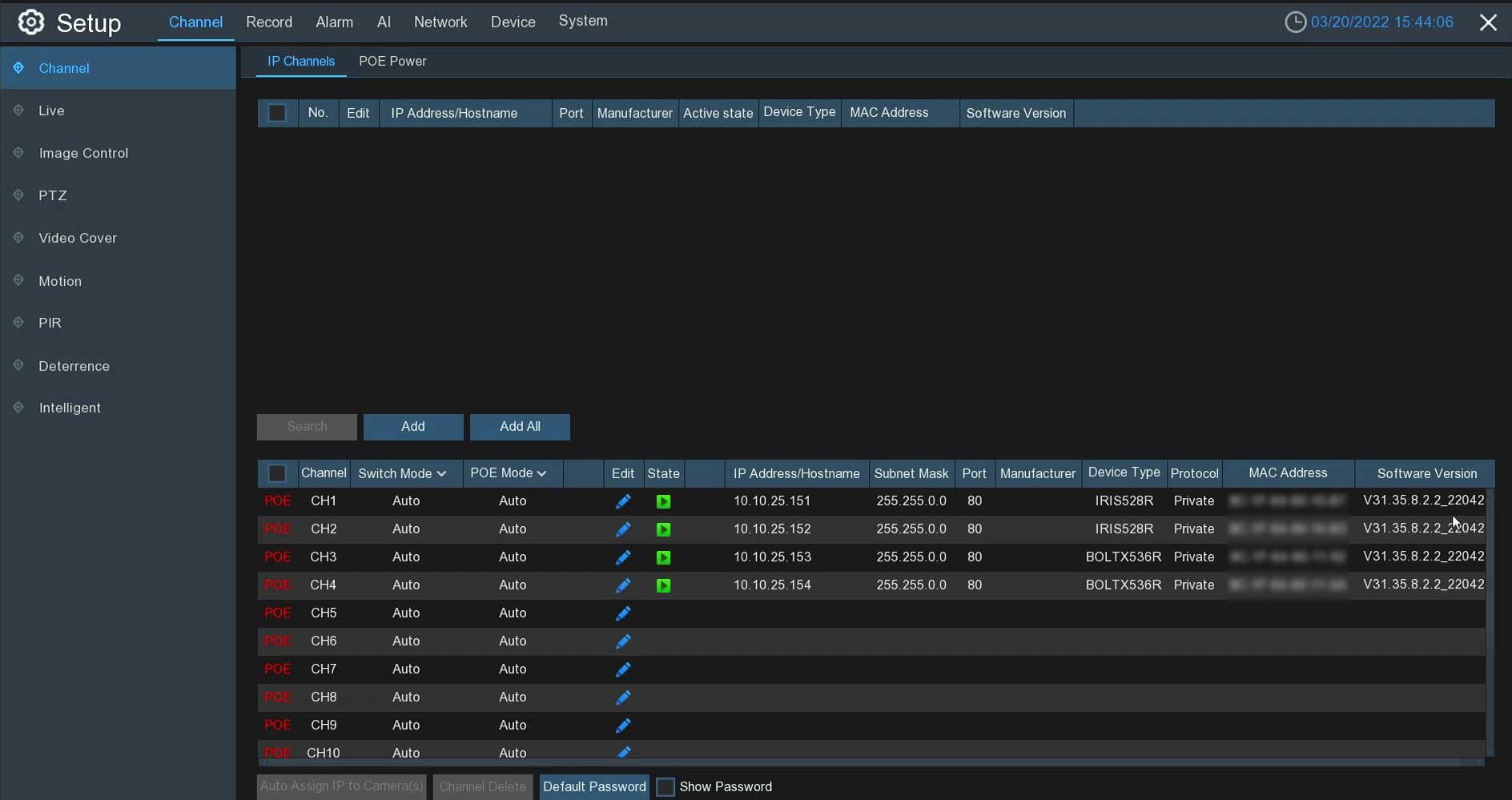
Camius 2K IP cameras have highly customizable image settings, which you can control directly in the NVR. You can select the best IR settings, including the IR cut mode, IR cut delay, IR LED way, and even the level of IR LED lights (low beam light). In addition, you can also control the camera’s view using the Lens Flip, Angle Flip, selecting Corridor mode, enabling WDR (wide dynamic range), and even more. You can save default settings by clicking on the ‘Default‘ tab.
Camius 5MP IP cameras provide a 91-degree view.

AI Detection Features for These 8 Outdoor Security Cameras
Camius PoE cameras can record super HD 2K videos, which contain 2.5 times more pixels than an HD 1080p security camera. In contrast to the 1920 × 1080 resolution, which has just over 2,000,000 pixels, this PoE security camera system can record at 2880 x 1620 pixels. The additional pixels the security camera captures provide more detailed images when zoomed in.
AI Detection Modes That Reduce False Alerts
With the Camius PoE NVR camera system, you can utilize motion detection to monitor and record all activity within your home or business. You can customize motion target detection to focus on Pedestrians, Vehicles, or both. Please note that motion detection recording and alarm schedules are not initially enabled and require user activation.
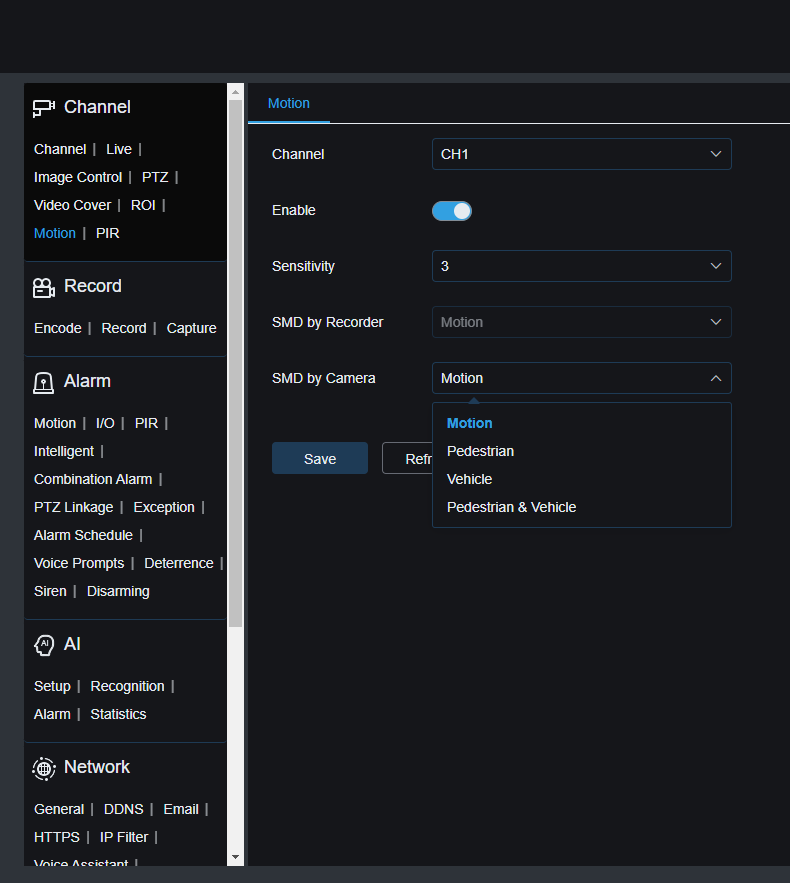
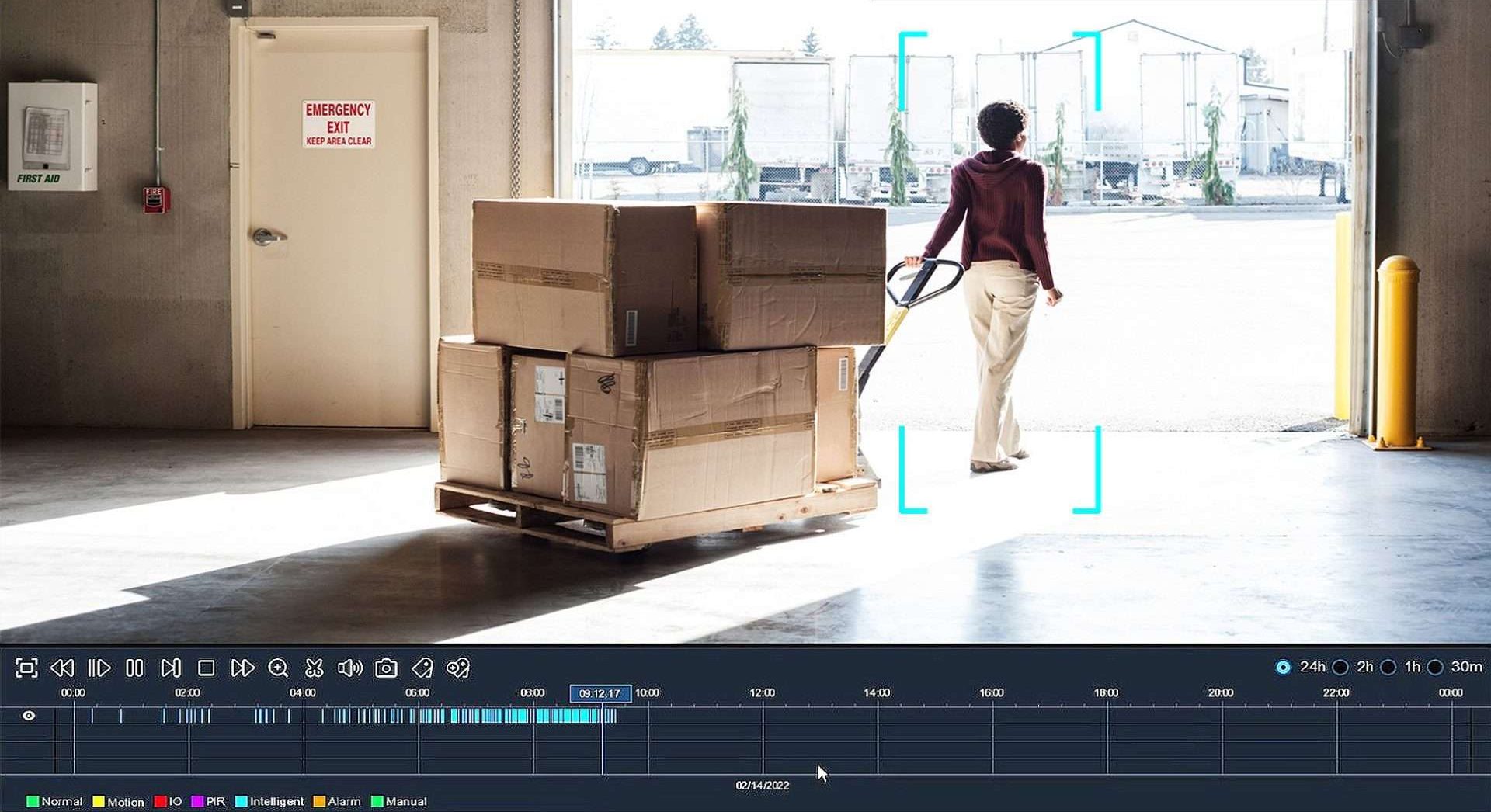
Camius IP camera and NVR system offers advanced AI detection features such as Pedestrian & Vehicle Detection, Perimeter Intrusion Detection, Line Crossing Detection, License Plate, Cross Counting, and Sound Detection. You can enable specific AI modes and set up push notifications on your mobile app by selecting and saving a schedule.
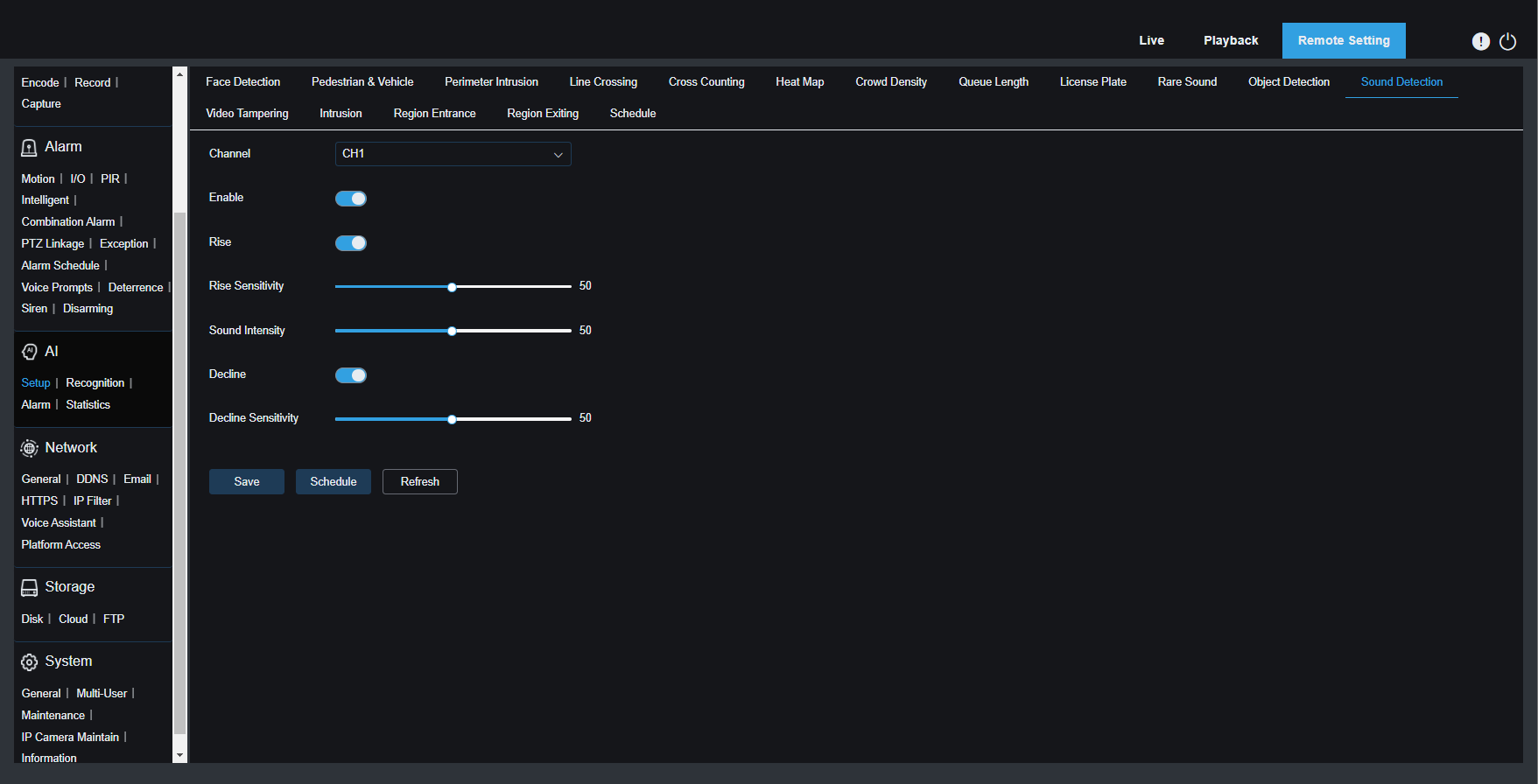
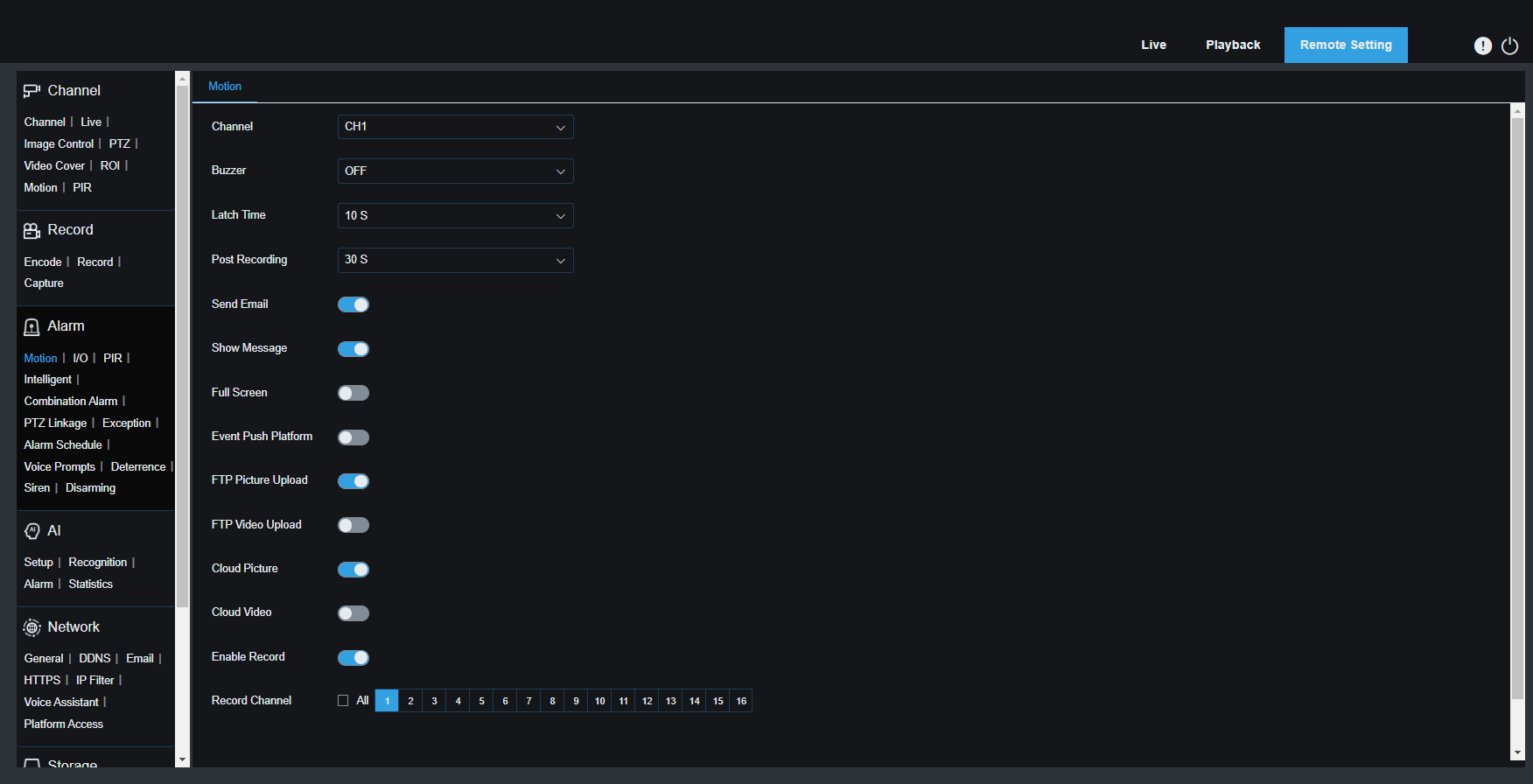
NVR Push Notifications, Email Alerts, and Recording Schedules
With the Camius NVR, you can activate various alarm settings, including buzzer sounds, message displays, email alerts, push notifications to the CAMIUS VIEW app, recording, pre-recording, and image uploads to Dropbox or Google Drive.
You can schedule alarms for each camera based on the following events:
- Motion Detection
- Intelligent detection
- AI Detection (Human & Vehicle Detection, Cross Counting, Perimeter Intrusion, Line Crossing, License Plate Detection)
- Exceptions (No Space on Hard Drive, Disk Error, Video Loss)
Remote Access and Real-Time Alerts from Any Device
Free Camius VMS Software for Windows and Mac
The NVR PoE camera system offers more than just monitoring through an HDMI monitor or smartphone app. With the free NVR software (VMS), any desktop, laptop, PC, or Mac can become a 24/7 surveillance station. Users can monitor live video and audio, playback recorded footage, and manage camera settings. It’s ideal for combining multiple installations, displaying multiple cameras, and managing devices across different locations.

Remote Viewing Through Any Web Browser
You can access your Camius NVR system using modern web browsers such as Chrome, Edge, Safari, Mozilla Firefox, Brave.
Camius View App for iOS and Android
The Camius View app grants full camera access from anywhere. Available on iOS and Android, the app connects to your cameras, allowing viewing, playback, and system control. Restart your NVR remotely.

Technical Specifications: 16-Channel NVR and 8 Outdoor PoE Cameras
- Bandwidth
Incoming: 320 Mbps
Outgoing: 320 Mbps
- Performance
Recording Compression: Audio: G.711A/ G.711U, Video: H.264/H.265/H.264+/H.265+
Speed: 12MP: 30fps, 8MP: 120fps, 4MP: 240fps 2MP: 480fps
Playback: 1080P: 480fps, Max 16CH
- Network
Protocols: RTSP, SNMP, DDNS, HTTP/HTTPS, TCP, UDP, FTP, MQTT, HLS, SMTP, UPNP, Onvif (profile S/G/T)
Voice Command: Home Device: Google Assistant, Amazon Alexa
- Video Output
- VGA output, which supports resolutions like 1024×768, 1280×720, 1280×1024, 1440×900, and 1920×1080.
- HDMI 1 output, mainly used for the main monitor, supporting resolutions like 1024×768, 1280×720, 1280×1024, 1440×900, 1920×1080, 2560×1440 (2K), and 3840×2160 (4K)
- HDMI 2 is used for the secondary spot monitor, supporting resolutions up to 1080p (1024×768, 1280×720, 1280×1024, 1440×900, 1920×1080), as well as EDID and Async
- Ports and Interfaces
Ethernet: 2 RJ45 ports for fast network connectivity.
PoE: 16 RJ45 ports support Power Over Ethernet (PoE) for easy IP camera connection
USB: Front USB 2.0, rear USB 3.0 & USB 2.0 for versatile connectivity.
Audio I/O: 1 input & 1 output for audio recording and playback.
RS-485: 1 interface for device communication.
Alarms: 16 inputs & 1 output for comprehensive alarm system integration.
- Storage
- Two Internal SATA Hard Drive Ports: up to 14 terabytes
- One e-SATA
- Device Access:
Web Browser Application: compatible with IE10/11, Safari V12.1 above, Firefox V.52 above, Google Chrome V.57 above, Edge V.79 above
Video Management Software for Windows PC and Mac computers
Camius View mobile app (iOS/Android)
- General:
- Menu Supported Languages: English, French, Spanish, Portuguese, German, Italian, Greek, Danish, Finnish, Russian, Turkish, Bulgarian, Arabic, Korean, Japanese, Thai, Hindi, Romanian, Dutch, Polish
- Dimension (W x D x H): 14.88 x 12.48 x 1.97 inches / 378 x 317 x 50mm
- Input Voltage/Current: Built-in power supply of ATX 280 watts
- Power Consumption: The NVR uses about 12 watts of power, not counting the hard disk
- Operating Temperature/Humidity: Camius NVR’s working temperature ranges from 14°F to 122°F (-10°C to +50°C), and the humidity should be kept below 90% RH
- Shape: Bullet
- Resolution: 2K 2880×1620 @ 30fps
- Lens (Field of View): 3.6mm (Horizontal: 91°, Vertical: 46°, Diagonal: 110°)
- Image Sensor: 1/2.7” Progressive CMOS
Bitrate:
- MainStream: 8192Kbps
- SubStream: 4096Kbps
- MobileStream: 1536Kbps
Video Compression:
- H.264, H.265, H.264+, H.265+ (Supports MJPEG in SubStream)
Audio:
- Built-in microphone
- Audio Compression: G.711A/G.711U
Night Vision:
- Up to 100ft (30m) with SmartIR
Image Control:
- 3D noise reduction
- IR-CUT mode
- Wide Dynamic Range (WDR)
- Backlight compensation
- Highlight compensation (HLC)
- White balance, shutter, mirror, angle adjustment
- Corridor mode
Detection:
- Smart Motion and Sound Detection
- AI-based (Face, Human, Vehicle, Perimeter Intrusion, Line Crossing, Cross Counting)
Alarms:
- Post recording, email notifications, FTP picture upload, cloud picture upload, recording triggers
- Push Notifications: Storage error, AI detections, with Camius NVR integration
Network:
- Protocols: DHCP, DNS, PPPoE, SNMP, HTTP, HTTPS, RTSP, TCP, UPNP, Multicast, P2P]]
- Email notifications for up to 3 receivers, configurable SMTP
Reset:
- Hard reset button / via the network
Power Source:
- PoE (IEEE802.3af) / DC12V
Weatherproof:
- IP66 rated
Dimensions & Weight:
- Approx. 14oz (397g), Φ 2.8” x 6” (70.9 x 152.7 mm)
Expand from 8 to 16 Cameras Without Replacing the NVR
You can easily add up to eight more Camius PoE IP cameras to your existing 8-camera security system to create a full 16-camera surveillance setup. This flexible expansion lets you cover more areas without replacing your current system. Simply connect additional PoE cameras for greater security and peace of mind.

Frequently Asked Questions About This 8-Camera Outdoor Surveillance System
What is a PoE Camera System?
A PoE (Power over Ethernet) camera system uses a single Ethernet cable to deliver both power and data to security cameras. Unlike older systems that require separate cables for power and video, PoE makes installation simpler and faster by reducing wiring and equipment. Camius PoE camera systems connect directly to a Network Video Recorder (NVR), allowing easy setup and reliable monitoring. This technology helps homes and businesses save time and costs while maintaining a clean, efficient security setup.
What is an NVR Security System?
An NVR (Network Video Recorder) security system uses digital IP cameras that process and encode video directly at the camera before sending it to the recorder. Unlike DVR systems that rely on analog cameras and coaxial cables, NVRs work with Internet Protocol (IP) cameras, which can be connected via Ethernet cables or wirelessly. This setup allows for higher video quality, easier installation, and flexible placement of cameras. Camius NVR security systems offer reliable, scalable solutions with remote viewing and advanced features, making them ideal for modern homes and businesses.
What is a 16 Channel Camera System?
A 16-channel camera system lets you connect and monitor up to 16 security cameras simultaneously. This setup provides full coverage for large homes, businesses, or properties, keeping every entrance and corner under surveillance 24/7. Systems like those from Camius work with or without an internet connection, offering reliable local recording, AI detection that includes human, vehicle, sound, perimeter intrusion, and license plate detection. If you connect the NVR to your router with the Internet, then you can also have free remote access, so you can watch live or recorded video anytime, anywhere. It’s a flexible and powerful security solution for comprehensive protection.
Can I Expand This System Beyond 8 Cameras?
Yes, this system expands to 16 cameras without replacing the NVR. The IPVAULT2320PR is a 16-channel NVR with 16 built-in PoE ports. This package ships with 8 cameras connected and 8 ports open. You add any compatible Camius PoE IP camera to an open port at any time. The NVR auto-assigns an IP address to each new camera and starts recording immediately. Storage is expandable up to 42TB to support the additional cameras and longer recording retention.
Does This Outdoor Surveillance System Require a Monthly Fee?
No, this system has no monthly fees of any kind. All video is stored locally on the NVR’s hard drive. AI detection, push notifications, remote access through the Camius View app, and the free VMS software for Windows and Mac are all included at no ongoing cost. There is no cloud subscription required. Optional cloud backup to your own Dropbox or Google Drive account is supported if you choose to use it, but it is not required for the system to function.
What AI Detection Does This 8-Camera System Support?
This system supports six AI detection modes: human and vehicle detection, perimeter intrusion detection, line crossing detection, cross counting, license plate detection, and sound detection. Each mode is configurable per camera with custom detection zones so alerts focus on specific areas such as a driveway, entrance, or loading dock. When a detection event occurs, the NVR tags the recording and sends a push notification to the Camius View app or an email alert. These modes reduce false alerts caused by wind, shadows, and animals.
How Long Does a 16-Channel NVR with 4TB Store Footage?
Recording duration depends on three variables: the number of cameras recording simultaneously, the resolution and frame rate selected, and whether you use continuous or motion-triggered recording. At 5MP 2K resolution with H.265 compression across 8 cameras in continuous recording mode, a 4TB drive stores approximately 20 to 30 days of footage. Switching to motion-triggered recording extends that duration significantly because the drive only writes when movement is detected. The NVR includes a built-in storage calculator in its settings menu where you enter your camera count, resolution, and recording mode to get an exact estimate for your configuration. Upgrading to 8TB or 16TB storage doubles or quadruples that retention time.
Reviews
There are no reviews yet.