

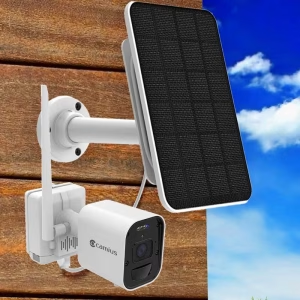
Wireless Camera System with 4K Battery Powered Cameras and 8 Channel NVR
4K battery operated wireless security camera system with an 8 Channel NVR and pre-installed 3 Terabyte hard drive offers easy installation and hassle-free remote access.
What Does the Best Battery Security Camera Without Subscription Offer?
Battery operated wireless security cameras record to the security NVR. Installing this battery camera system is straightforward. Completing the wire-free camera NVR pairing process takes only a few minutes. Ensure each battery security camera is fully charged. The CAMIUS VIEW smartphone app displays the battery level of the wireless security cameras.


Wireless Security Camera System with NVR Recorder
The WF4KN is an 8-channel wireless NVR. It records and stores footage locally without requiring a cloud account, a router connection, or monthly fees. Place cameras anywhere within wireless range. The only cable to run is the power cable to the NVR itself.
-
4K Wireless Security Cameras Without Subscription for Home and Business, Wireless Battery Security Camera Add-ons, Wireless Security Camera Systems - 4K Wireless NVR Kits
$159.00Original price was: $159.00.$139.00Current price is: $139.00. Add to cart
4K Battery Powered Wireless Outdoor Security Camera: No Local Wi-Fi Needed
Wireless Outdoor Camera with Continuous Recording
Camius battery operated cameras do not use your router’s Wi-Fi. They connect directly to the NVR using a private Wi-Fi HaLow signal at 900MHz, giving you a more reliable and secure wireless connection.
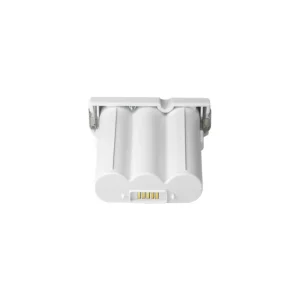
Camius cordless wireless security cameras keep your property safe, with battery life depending on the area of installation. The 3-cell lithium-ion camera battery is easily charged without removing the camera from its location. Use the included Camius battery charger, and return the battery to the camera once fully charged. Battery performance varies based on activation frequency, lasting shorter in high-traffic areas and longer in low-traffic areas.
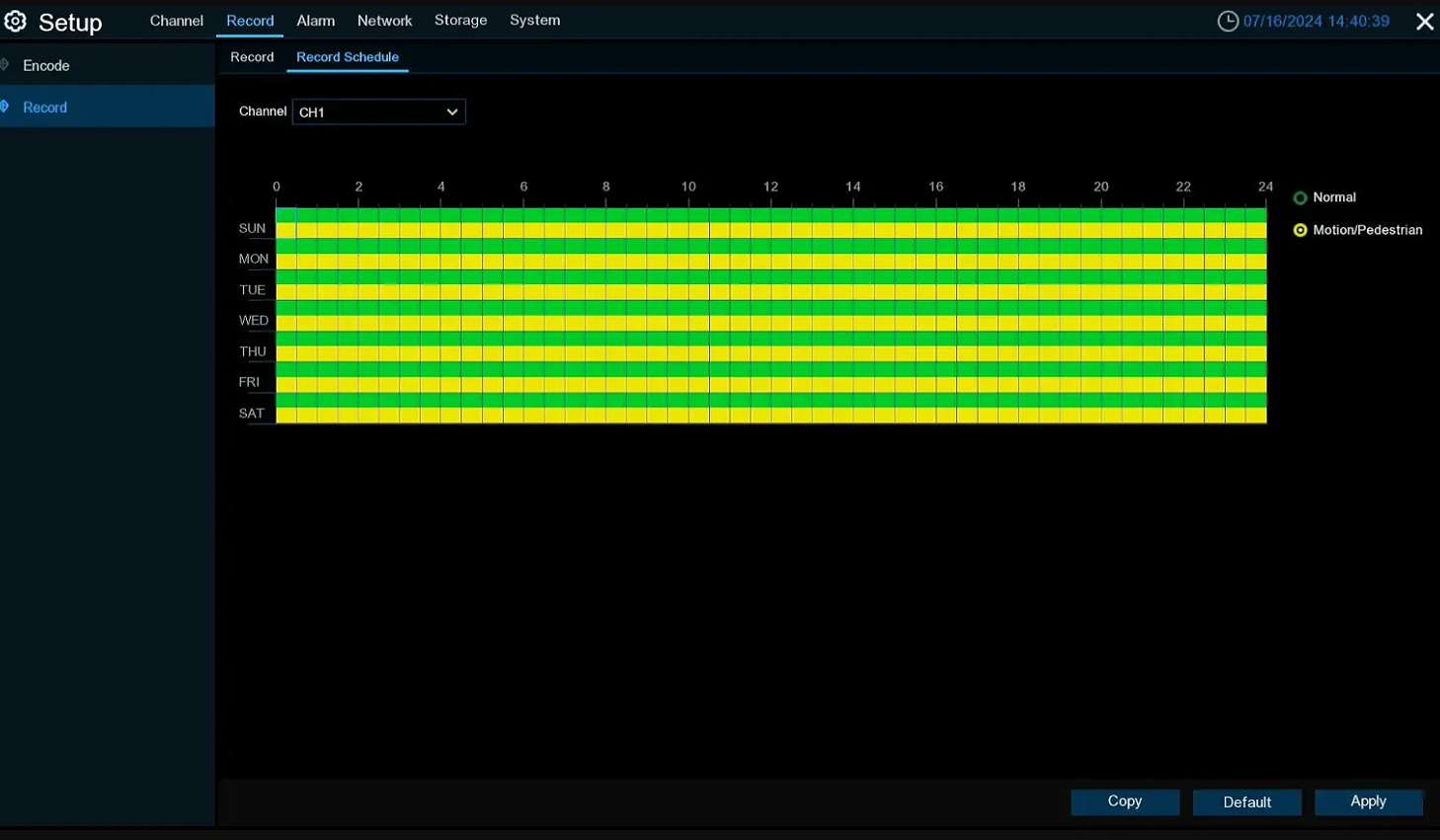
On battery power, the cameras record when motion is detected. Plug a camera into a standard USB power outlet to enable continuous 24-hour recording. A Camius solar panel charges the battery during daylight hours. Solar power alone does not enable continuous recording. Cameras on solar still record on detection only. Continuous recording requires a direct power outlet connection.
What Blocks or Reduces the Wi-Fi HaLow Signal
Wi-Fi HaLow at 900MHz penetrates obstacles better than standard 2.4GHz or 5GHz Wi-Fi. That said, certain materials between the camera and the NVR will reduce the effective range.
High signal loss:
- Reinforced concrete (concrete with steel rebar) is the most common cause of range reduction in residential and commercial installations. Multiple reinforced concrete walls or floors between camera and NVR will noticeably shorten the effective range.
- Solid metal surfaces, including steel roll-up doors, corrugated metal walls, metal roofing, and aluminum siding, reflect the 900MHz signal and create dead zones behind them.
- Metal mesh and chain-link fencing placed directly between the camera and NVR reduce signal strength.
- Thick stone and solid masonry, particularly multiple layers of quarried stone or solid brick, absorb a portion of the signal.
- Dense wet vegetation absorbs more signal than dry foliage.
Low signal loss:
- Standard wood-framed walls (drywall, insulation, plywood) have minimal impact on the 900MHz signal.
- Single-pane glass windows allow the signal through with little reduction.
- Most plastics and dry wood do not measurably affect range.
Place the NVR near a window facing the camera locations where possible. Keep the NVR away from metal enclosures and large metal objects. Test signal strength at each proposed camera location before permanent mounting.
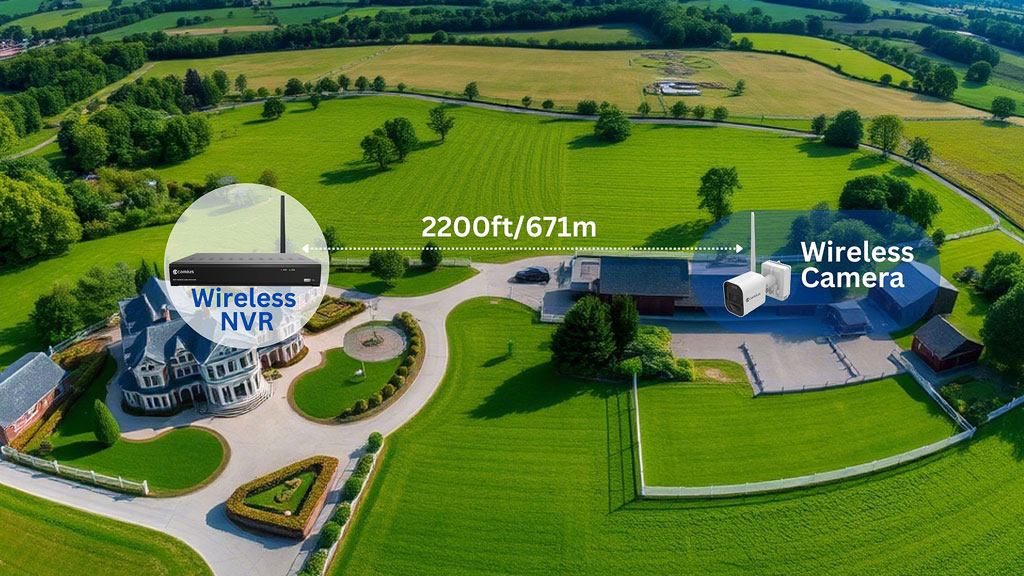
The cameras connect to the NVR using Wi-Fi HaLow at 900MHz. The maximum wireless range is 2,200 feet in open air with no obstacles and clear line of sight between each camera and the NVR. Actual range depends on what sits between the camera and the NVR at each installation location.
Wireless Outdoor Cameras with Lights and Siren For Active Deterrence
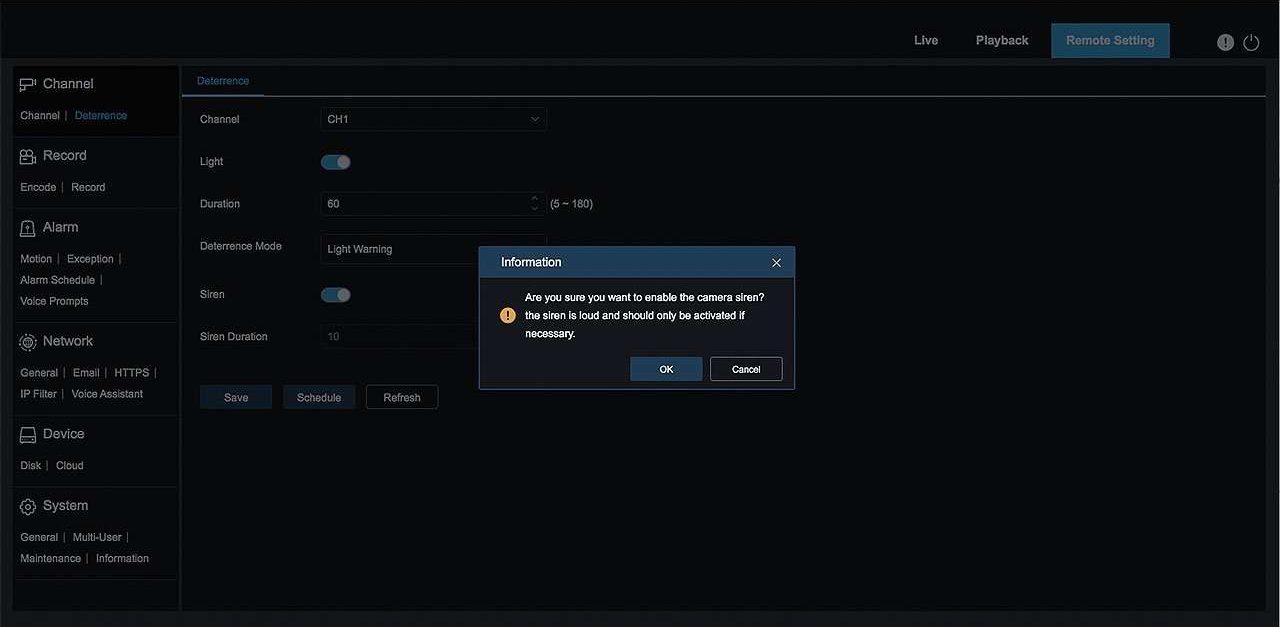
Battery operated wireless security camera system with audio include a built-in speaker that triggers a loud siren when an alarm event is scheduled in the NVR. Each camera also features lights that activate with motion or person detection, with the option to set a custom lighting day and time schedule through the NVR menu.
Full guide: camius.com/how-to-set-up-deterrence-on-my-nvr/
Check your local laws on audio recording and surveillance consent before enabling these functions. Camius does not provide legal advice and is not responsible for use of its products without knowledge of local regulations.

2 Way Audio Security Camera
Stay connected and engage in real-time communication with anyone near the wireless camera, whether it’s a visitor at your doorstep or a loved one. With the built-in speaker and microphone, you can easily listen and talk through the camera using the Camius View smartphone app. This interactive capability provides added convenience, allowing you to give instructions, address concerns, or have a conversation from anywhere.

Weatherproof Wireless Battery Operated Outdoor Camera System
Indoor-outdoor wireless security cameras are fully waterproof and dustproof. With IP66-rated housing, Camius wire-free camera can operate in a hot and cold environment between 4°F (- 20°C) to 122°F (50°C).
4K Wireless Security Camera with Night Vision
This wire-free 4K wireless security camera system is equipped with powerful infrared LEDs, enabling it to capture clear images and videos within a 49-foot range from the camera location.

Wireless Cameras in 4K Video Resolution and Super Wide Angle
Camius wire-free security camera features a wide-angle 2.8mm lens and an ultra HD 4K image sensor. This battery powered camera captures crisp, clear full HD video with over a 111-degree wide view, ensuring comprehensive coverage of your surroundings.
Battery Operated Wireless Camera System with 4K Live View Monitoring
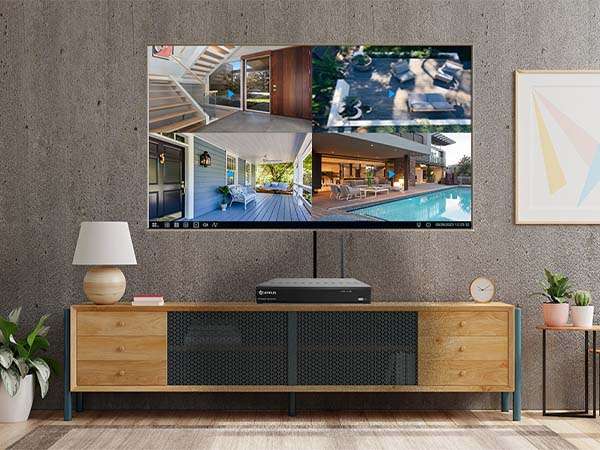
Camius battery-operated wireless camera systems deliver real-time monitoring on any HDMI TV or monitor. Connect the NVR to any HDMI-compatible display using the included HDMI cable to view all cameras live or play back recorded footage without using a phone or computer.
Camius Battery Powered Wireless Surveillance Cameras for Easy Installation
Camius battery powered wireless surveillance cameras are designed for quick and hassle-free installation. Unlike wired cameras, our wireless system operates without cables. It also operates independently of your router’s Wi-Fi signal. Simply choose your camera location, fix the antenna, and insert the battery. An audible confirmation will sound upon successful activation; otherwise, recharge the battery until the LED indicator turns from red to green.
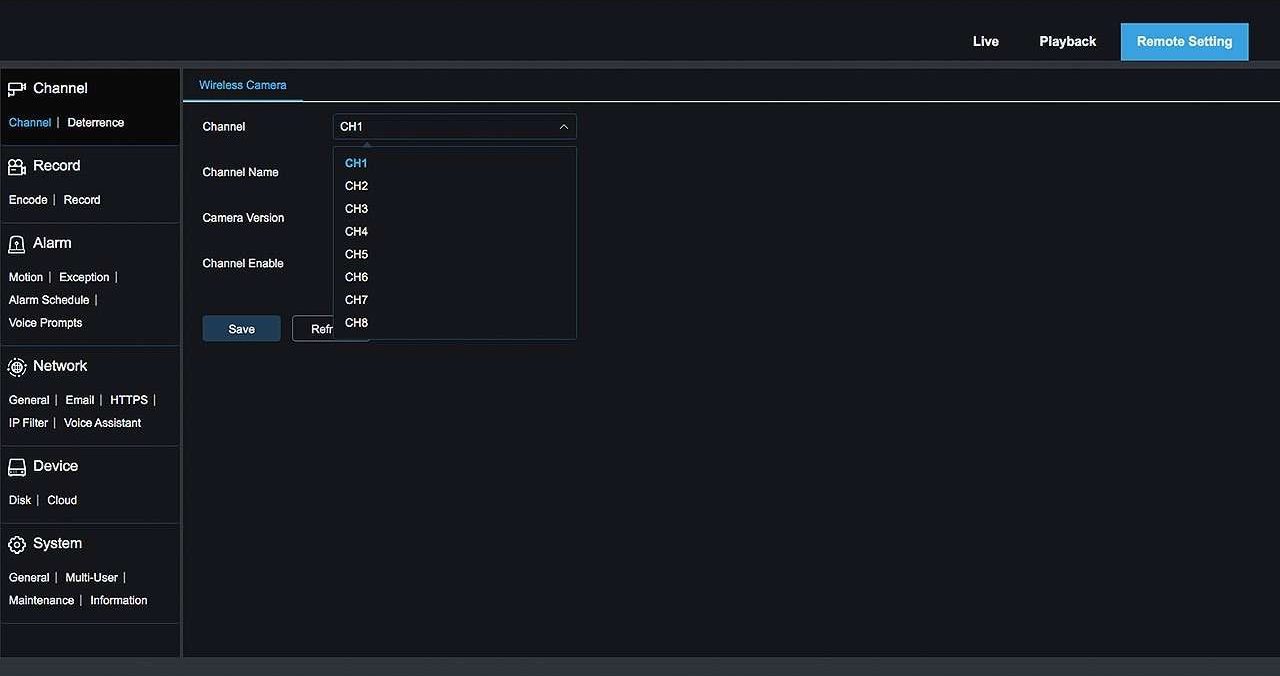
To connect to your wireless NVR, use the pairing method.
Press and hold the pairing button for 3 seconds to enter pairing mode and sync the camera with the NVR. Place cameras with clear lines of sight to the NVR. Large concrete walls and dense metal structures reduce signal range. The maximum wireless range is 2,200 feet in open air with no obstacles. Test signal strength at each camera location before permanent mounting.
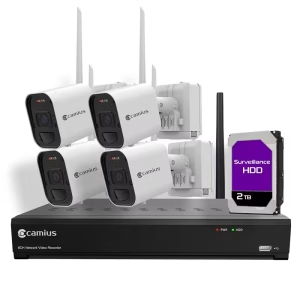
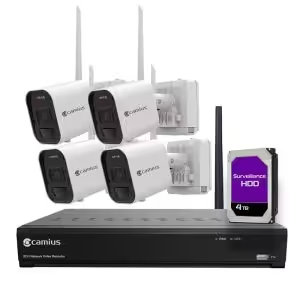
The system supports up to 8 wireless cameras.
Wireless NVR System Recording
Wireless Security Camera with Hard Drive Local Storage
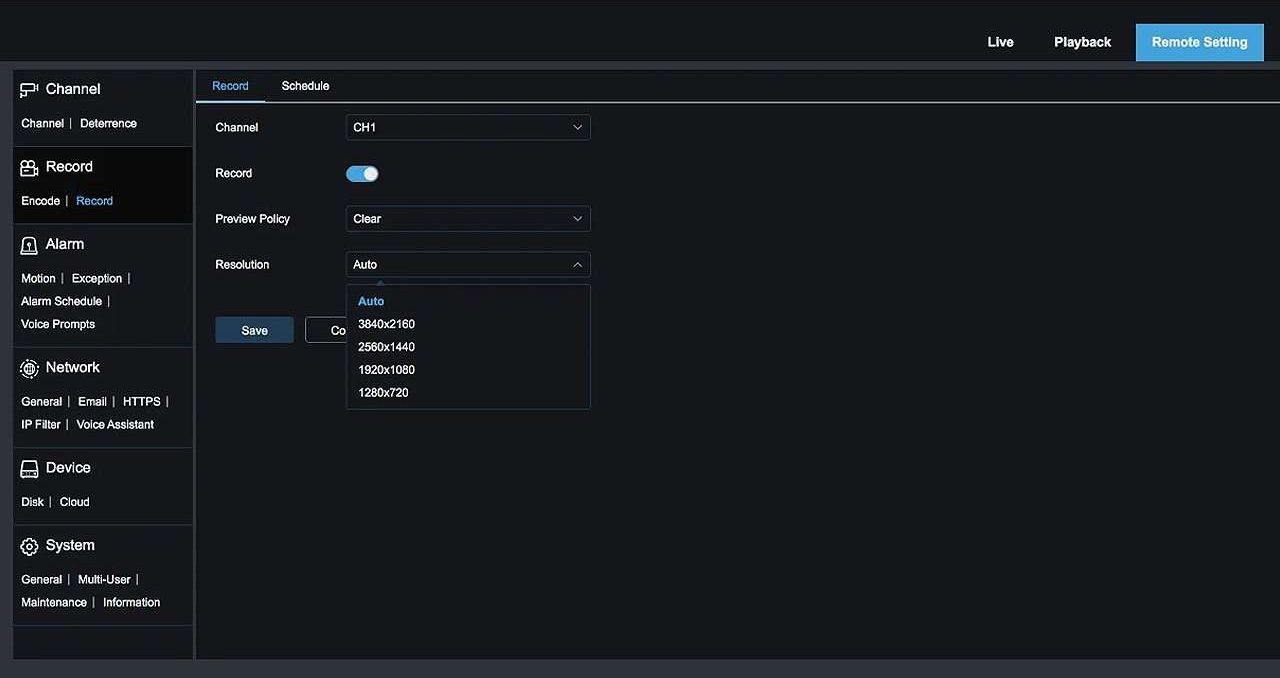
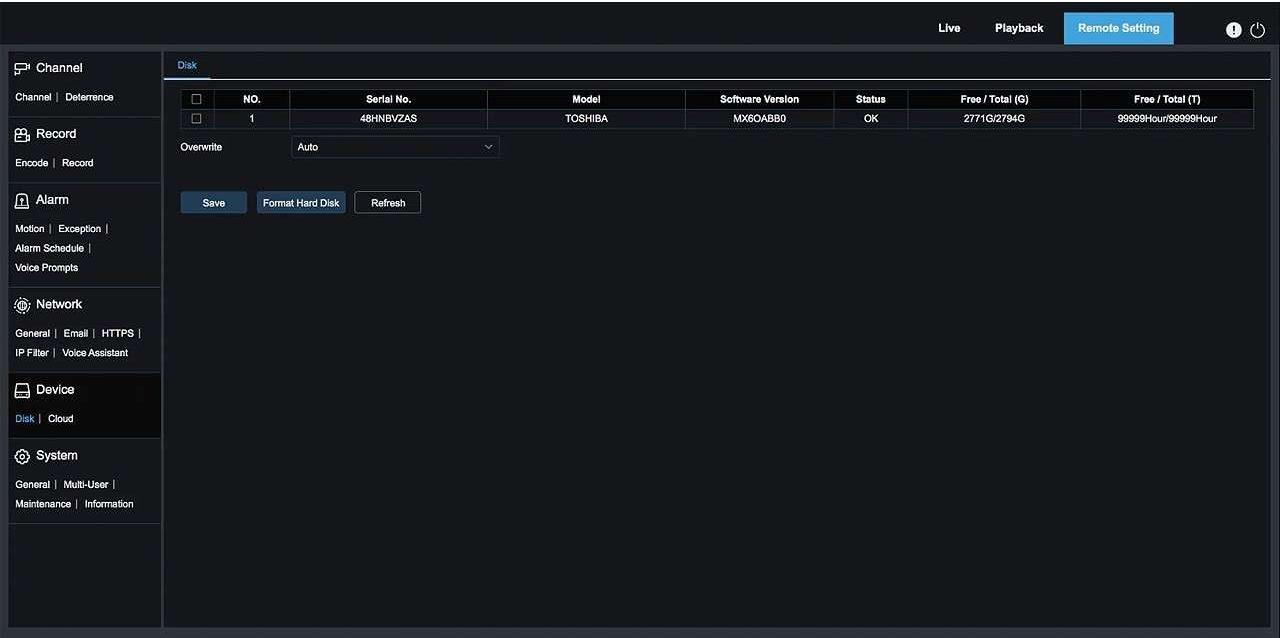
Camius 4K wireless security system includes 3TB storage pre-installed. The NVR supports one internal SATA hard drive up to 6TB. When the drive reaches capacity, the NVR overwrites the oldest recordings automatically. To retain more footage, replace the internal drive with a higher-capacity compatible drive up to 6TB.
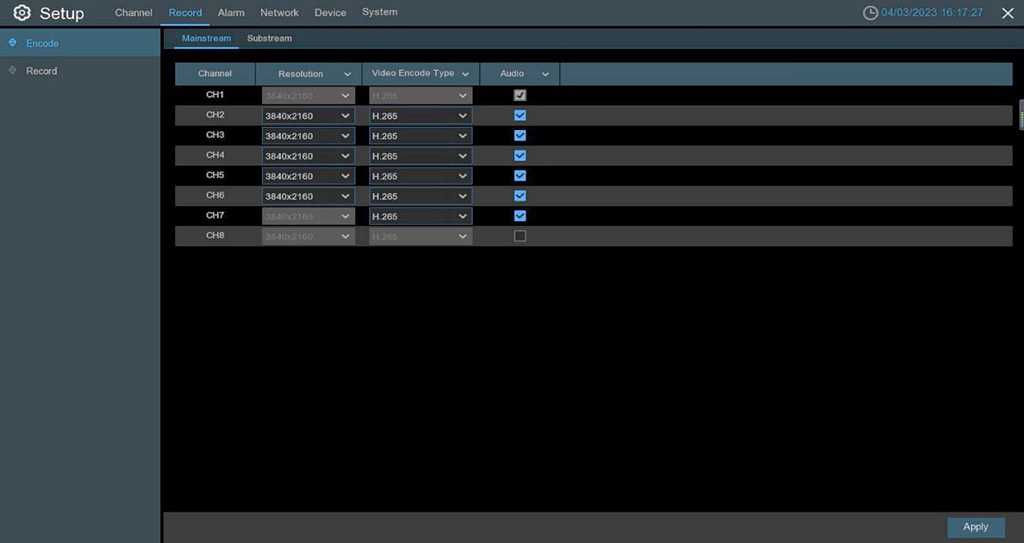
Audio recording is off by default. To enable it, go to Setup, then Record, then Encode, then select Mainstream for each channel.
Full guide about the wireless camera system recording setup.
The wireless security camera system records on motion and you can also activate continuous recording.
Wireless Outdoor Security Cameras No Subscription
The Camius wireless security camera system stores footage locally on the hard drive without any subscription fees. The NVR supports viewing and recording from up to 8 battery operated wireless security cameras with audio and video. The wireless NVR accommodates one internal SATA hard drive up to 6TB. Connect a monitor using the included HDMI cable to view cameras live or play back recordings.
4K Security Cameras Wireless System Offers Home and Business Owners Deterrence
The Camius wireless camera system provides powerful deterrence features to safeguard your property. Its bright lights illuminate the surroundings upon detecting suspicious activity, serving as a strong visual deterrent to potential intruders. Additionally, the system includes a loud siren that triggers an attention-grabbing alarm, notifying trespassers and nearby individuals that their actions have been detected. These advanced deterrence features ensure your property is protected and give you peace of mind.
Wireless Camera NVR System Featuring Motion and Pedestrian Detection to Reduce False Alarms
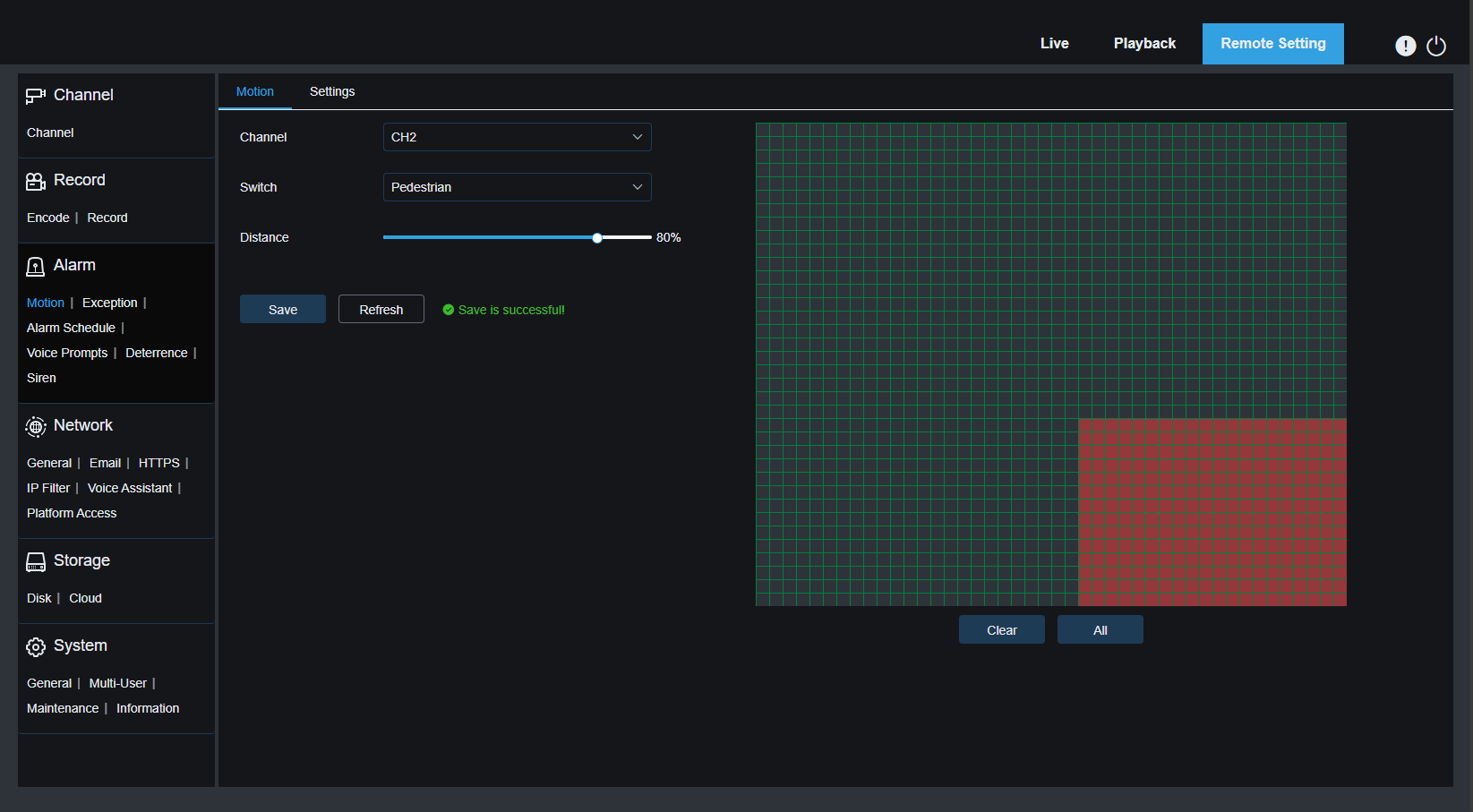
Camius wire-free security cameras feature a built-in passive infrared sensor (PIR) with a 33-foot range and 120-degree detection angle. These wireless outdoor security cameras activate and begin recording on motion events. Enable person detection in the NVR to filter out animals and reduce false alarms. Motion detection with a custom detection zone is the recommended setting for driveways and entry points. The PIR sensor sensitivity is fixed and not user-adjustable. You control detection by choosing between motion and pedestrian modes and by drawing a custom detection zone on screen.
How to set Motion and Pedestrian Detection in the battery operated security camera system
Outdoor Security Camera System with No Subscription Monthly Fees
This surveillance system features battery-powered wireless security cameras with no subscription fees. Store footage on your wireless NVR’s hard drive for local storage. This system operates offline for local recording and live viewing. For remote access, connect the NVR to your router with a LAN cable. You also have the option to store footage in your own cloud storage, such as Dropbox or Google Drive, and receive email notifications triggered by alarm events you select.
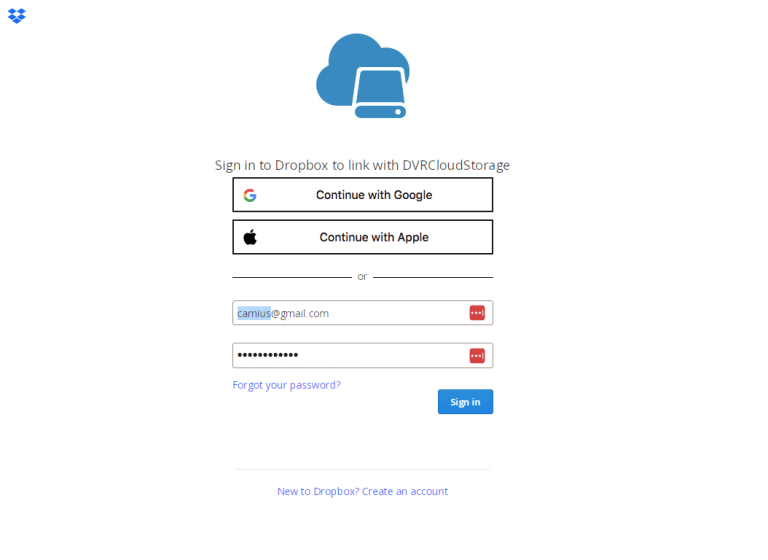
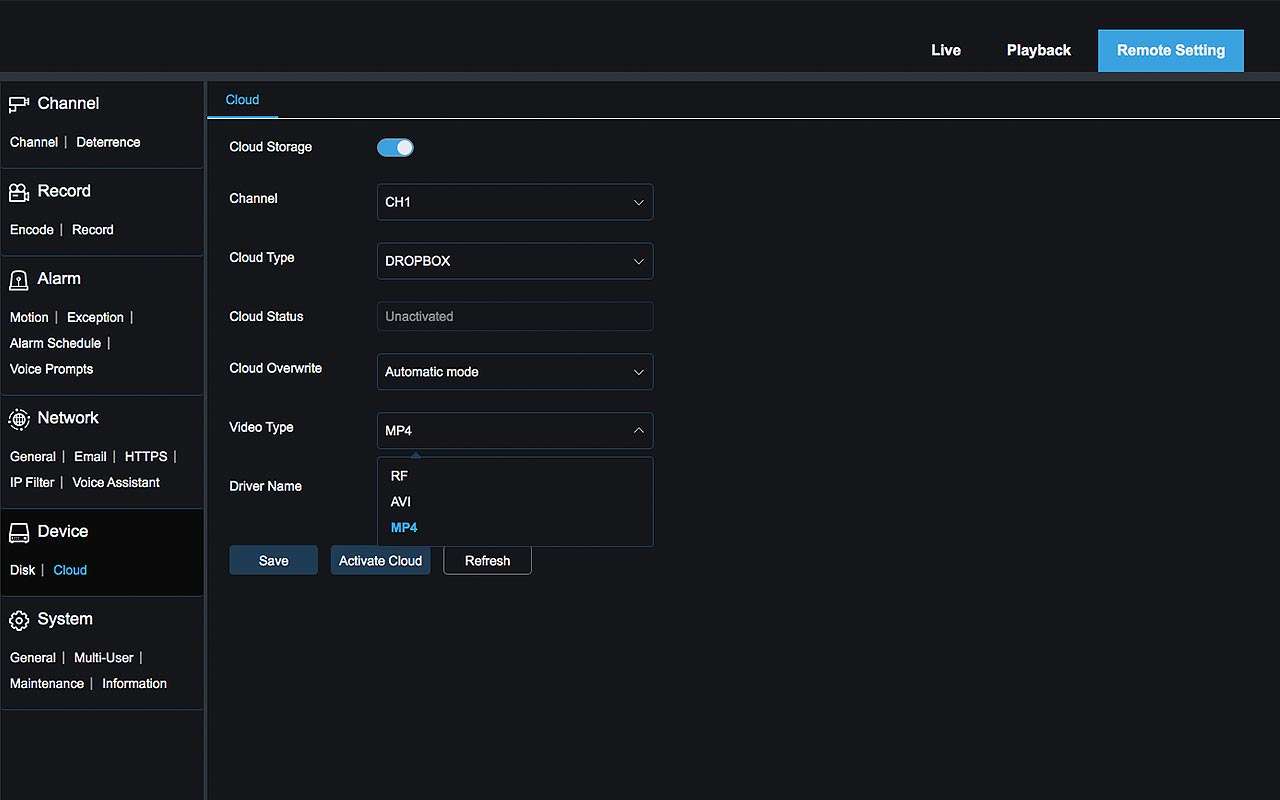
While it is not a cloud based security system, you could record footage using your Dropbox or Google Drive account.
Wireless Security Camera System with Remote Viewing
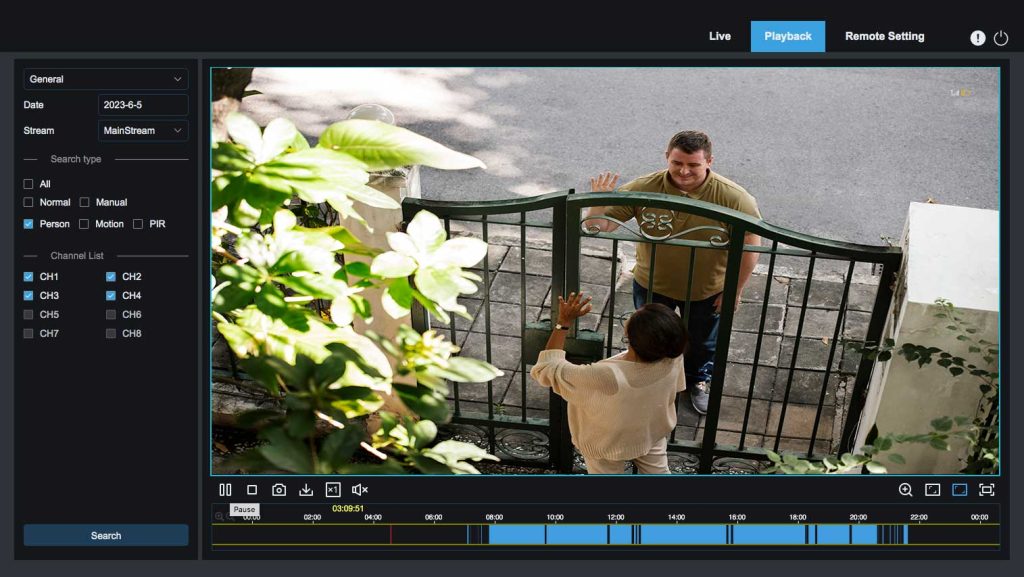
Security System that works with web browsers
The latest Camius NVR security camera systems are compatible with modern web browsers such as Chrome, Mozilla Firefox, Safari, Edge.
Wireless Security Cameras with DVR Includes Software for PC and Mac Computers
Camius wireless security cameras and systems work beyond HDMI monitors and smartphone apps. The included free VMS software turns any desktop, laptop, PC, or Mac into a surveillance station.
Users can monitor live video and audio streams, playback recordings, and manage cameras while accessing device settings.

4K Outdoor Battery Powered Security Camera with Smartphone App
Camius offers a 4K wireless security camera system designed for outdoor use, featuring remote viewing via the Camius View Smartphone Security Camera App. This mobile app provides comprehensive access to your cameras from anywhere. Available on iOS and Android App stores, it seamlessly connects to your security cameras. Use the app to view and playback footage from any Camius security camera, listen to audio, and remotely control the system, including the ability to restart it.

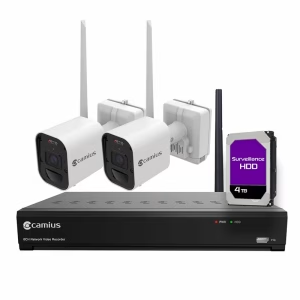
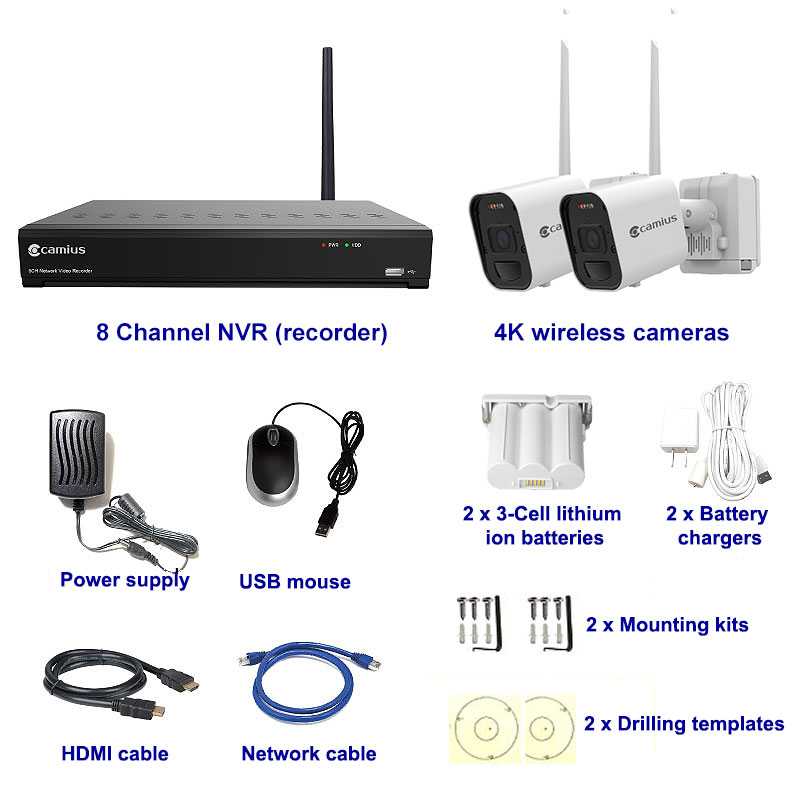
2 Camera Wireless Security System includes
- 1 x WF4KN 3TB HDD (8-channel Wireless NVR with pre-installed 3TB surveillance hard drive)
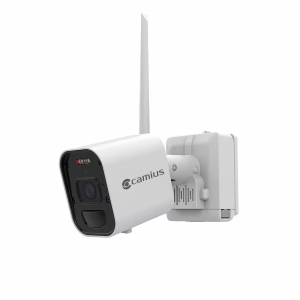
- 2 x WF4KC2 (4K battery-operated security cameras with battery pack, antenna, wall bracket, drilling template, set of screws, hex key)
- 1 x Recorder accessory kit: power supply, antenna, HDMI cable, network cable, USB mouse
- 2 x Battery chargers (USB wall adapter with 13ft cable)
WF4KN Wireless NVR Specifications
Model: WF4KN
Number of channels: 8 (Wi-Fi 802.11ah, HaLow 900MHz)
Wireless standard: IEEE 802.11ah (Wi-Fi HaLow)
Wireless frequency band: 902 to 928MHz
Supported video resolution: 4K/8MP 3840×2160
Live view frame rate: 4K at 15fps (auto fps, adaptive bitrate)
Live split screen view: 1/4/9
Internal SATA HDD: 1 SATA or SSD, max 6TB capacity
Backup: USB flash drive
Footage backup formats: LF, MP4
Video encoding: H.264, H.265
Audio encoding: G.726
HDMI output: 1 (1280×1024, 1280×720, 1920×1080, 2560×1440, 3840×2160) with EDID
Ethernet: 1 x RJ45 10/100 Base-T
USB: 2 x USB 2.0
Transmission bandwidth: up to 32Mbps
Supported protocols: TCP/IP, UDP/IP, RTP (UDP), RTP (TCP), RTSP, NTP, HTTP, DHCP, SMTP, DNS, DDNS
Menu language: English default, Spanish, French, Portuguese, and others
Enclosure: Black metal
Dimensions (W x D x H): 11.8 x 2.93 x 2.09 inches / 300 x 227 x 53mm
Input voltage: DC12V/2A
Power consumption (excluding HDD): 6W
Operating temperature: 0°C to 40°C (32°F to 104°F)
Humidity: 20% to 85% RH
The WF4KN NVR includes a fixed external antenna designed specifically for this system. Using a different antenna or modifying the existing one is not recommended, as it may affect system performance and impact warranty coverage.
WF4KC2 4K Battery-Powered Camera Specifications
Camera model: WF4KC2
Wireless standard: IEEE 802.11ah (Wi-Fi HaLow)
Wireless frequency band: 902 to 928MHz
Image sensor: 4K (8 megapixels)
Effective pixels: 3840×2160 (16:9) 1/2.7″
Video resolution: 3840×2160 (8MP)
Minimum illumination: 0 Lux (IR LED on)
Transmission distance: Max 2,200 ft / 671m in open air with no obstacles, clean line of sight
PIR sensor: Built-in
PIR detection range: 120 degrees / 33 feet (10 meters)
Focal lens: 2.8mm (F1.6)
Field of view: H: 111 degrees, V: 59 degrees, D: 134 degrees
Microphone: Built-in
Speaker: Built-in
Night vision distance: Max 49 feet / 15 meters
White LED distance: Max 49 feet / 15 meters
Operating temperature: -4°F to 122°F (-20°C to 50°C), less than 90% relative humidity
Startup temperature: 14°F to 122°F (-10°C to 50°C)
Ingress protection: IP66
Enclosure: High-quality metal, outdoor rated
Input voltage: DC 5V
Power consumption: 2.3W
The WF4KC2 camera includes a fixed external antenna designed specifically for this system. Using a different antenna or modifying the existing one is not recommended, as it may affect system performance and impact warranty coverage.
Guides and Manuals
FAQs about wireless battery powered security camera system
What is the difference between a wireless camera and a Wi-Fi camera?
Camius wireless cameras use Wi-Fi HaLow at 900MHz to connect directly to the NVR. No home router is involved in that connection. Standard Wi-Fi cameras connect to a home router and depend on that network for recording and remote access. If the router goes down, a standard Wi-Fi camera stops recording. Camius wireless cameras are unaffected by router outages.
Do you need internet for wireless cameras?
No internet is required to record, store, or view footage locally. The cameras connect to the NVR using a private 900MHz Wi-Fi HaLow signal, not your home network. To view footage remotely from a phone, browser, or PC, connect the NVR to your router with a LAN cable. Remote access does not require a static IP or port forwarding.
What camera system does not require a subscription?
The Camius wireless NVR system stores all footage locally on the built-in hard drive. There are no monthly fees to record, store, review, or receive motion alerts. The local hard drive in this system stores weeks, months of footage depending on recording settings and the number of events per day.
Do all wireless cameras need batteries?
Camius WF4KC2 cameras run on a rechargeable 3-cell lithium-ion battery. You can also plug the camera into a standard USB power outlet using the included 13ft USB cable and adapter for continuous power without relying on the battery. A Camius solar panel charges the battery during daylight hours, extending the time between manual recharges.
How long do Wi-Fi camera batteries last?
The WF4KC2 camera battery lasts up to 6 months based on approximately 10 motion events per day with 5 seconds of recording per event. Higher-traffic locations drain the battery faster. Attach a Camius solar panel to extend the time between manual recharges. Continuous recording requires a USB power outlet connection and will deplete the battery if solar is not also connected.
Does a Wi-Fi camera work without electricity?
Camius WF4KC2 cameras run on a rechargeable battery and keep recording during a power outage as long as the battery has charge. The NVR requires a power outlet to operate. If the NVR loses power, the cameras cannot record to the hard drive until power is restored.
Do wireless security cameras run on batteries?
Yes. Camius WF4KC2 cameras run on a rechargeable 3-cell lithium-ion battery included with each camera. For continuous 24-hour recording, plug the camera into a standard USB power outlet using the included 13ft USB cable and USB power adapter. The battery stays inside the camera in both modes.
Can I add more cameras to the 2-camera system?
Yes. The WF4KN NVR has 8 channels. This system comes with 2 cameras and supports up to 8 WF4KC2 cameras total. Add cameras one at a time using the pairing method in the NVR menu. Each additional camera is the WF4KC2 add-on, available separately at camius.com/4k-battery-operated-security-camera/
Does continuous recording work on battery power?
Continuous recording requires a USB power outlet connection. On battery power, cameras record when motion is detected. Connecting a Camius solar panel charges the battery during daylight hours but does not switch the camera to continuous recording mode. To record around the clock, plug the camera into a standard USB power outlet using the included 13ft USB cable and USB power adapter.
What is Wi-Fi HaLow and why does it matter?
Wi-Fi HaLow is based on the IEEE 802.11ah standard and operates at 900MHz. That is a lower frequency than standard 2.4GHz or 5GHz Wi-Fi. Lower frequency means the signal travels farther and passes through walls, vegetation, and other obstacles more effectively. The cameras in this system connect to the NVR using HaLow, not your home router. Wireless range reaches up to 2,200 feet in open air with clear line of sight between camera and NVR.
Can I view footage on a TV or monitor?
Yes. Connect the NVR to any HDMI-compatible TV or monitor using the included HDMI cable. View live feeds from all cameras in a grid view, or switch to a single camera in full screen using the included USB mouse. No streaming device, app, or additional software is needed for local viewing.
What happens when the 3TB hard drive fills up?
The NVR automatically overwrites the oldest recordings when the drive reaches capacity. No action is needed. To keep footage for longer periods, replace the internal drive with a compatible SATA drive up to 6TB.
What materials block or reduce the wireless signal between the cameras and NVR?
Wi-Fi HaLow operates at 900MHz and penetrates obstacles better than standard 2.4GHz or 5GHz Wi-Fi. Reinforced concrete with steel rebar causes the most signal loss of any common building material. Solid metal surfaces such as steel doors, corrugated metal walls, metal roofing, and aluminum siding reflect the signal and block it from passing through. Thick stone or solid masonry walls and dense wet vegetation also reduce range. Standard wood-framed walls, drywall, and single-pane glass have minimal impact. Test signal strength at each camera location before permanent installation. The 2,200-foot range specification applies to open air with no obstacles between camera and NVR.